Home › Devices › Asus › Asus Eee PC 900 / 901
 NEW!
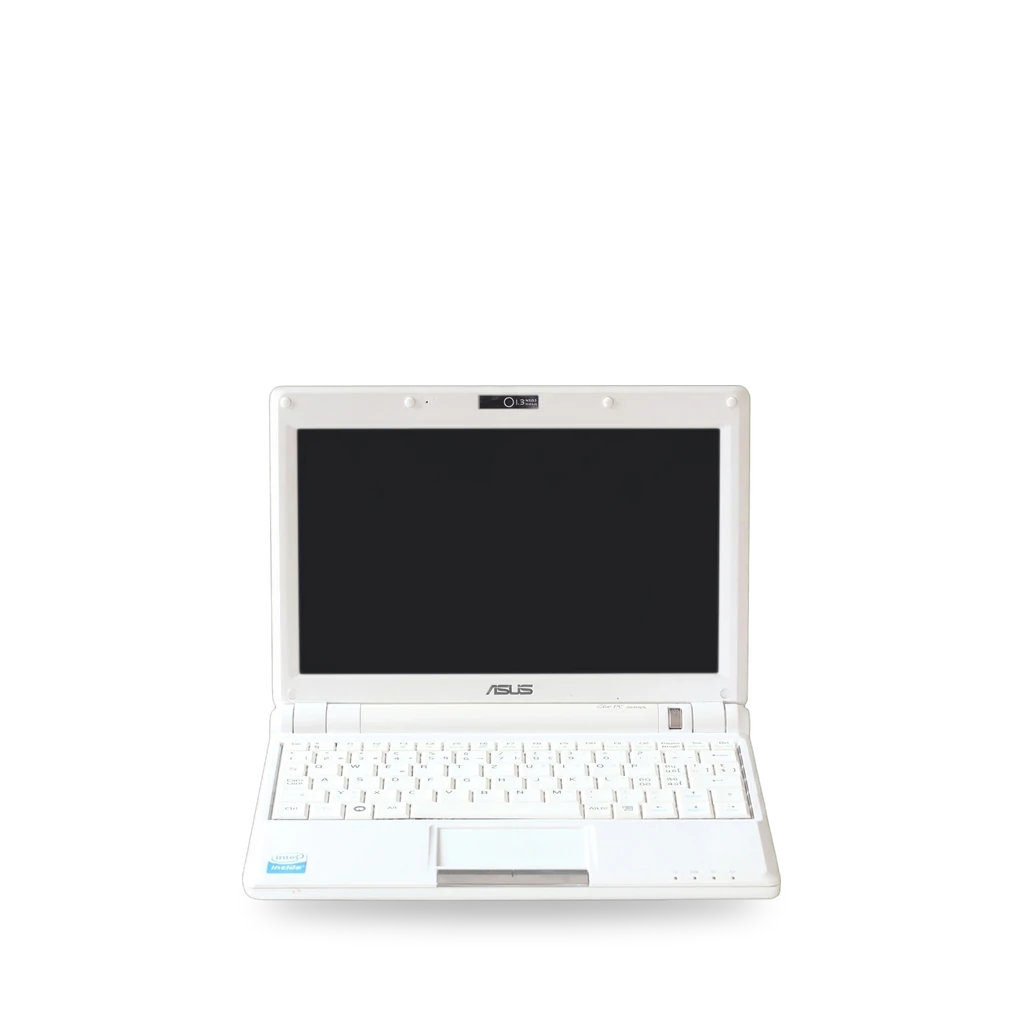
Photo: Rama, CC BY-SA 2.0 fr · AI-edited (studio background)

ASUS · LAPTOP · 2008
Asus Eee PC 900 / 901
Also called: Eee PC 900 · Eee PC 901 · Eee PC 900A · Eee 900
8.9-inch netbooks. Easy battery, RAM and mini-PCIe SSD swaps on the 900; 1.8-inch drive bay and spare PCIe on the 901; old Ubuntu install notes.[8][1][2][3][10][11]
Which one do I have?
| Model | Variant | Year | How to tell |
|---|---|---|---|
| Eee PC 900 | Celeron M, original 900 chassis | 2008 | Celeron M netbook in the 900 case. Stock mini-PCIe SSD under a cover with the RAM. No roomy 1.8-inch bay without cutting plastic.[6][10][8] |
| Eee PC 901 | Atom N270, revised chassis | 2008 | Different chassis from the 900, Atom 1.6 GHz, expanded 6-cell battery, Bluetooth and 802.11n. Shelf for a 1.8-inch drive; spare PCIe and SIM space.[8][7][12] |
| Eee PC 900A | 901-like Atom in 900 case | — | 900 casing with Atom-based internals and a 4-cell battery; almost the same specs as the 901.[9][8] |
Specs
Mods (8)
⚠ Mod at your own risk. We collect what others have published; we have not tested these mods. Read the safety notes
Replace the batteryWorks
- ⚠ Lithium battery Uses or touches a lithium cell. A damaged cell can catch fire.
Slide the two locking tabs and pull the pack. Capacities differ by market.[1][6][7]
Good to know
Upgrade the RAMWorks
Under the battery, a small cover held by two screws exposes the SODIMM. PC2-5300 1 GB and 2 GB modules are listed.[2]
Good to know
- RAM sits under a cover with two ~4.8 mm screws under the battery; release the socket pins and pull the module.[2]
⚠ Watch out
- The RAM and socket pins are delicate; do not break the pins.[2]
Replace the mini-PCIe SSDWorks
- ⚠ Data loss Can erase what is on the device. Back up first.
Stock OS flash is a mini-PCIe SSD under the same cover as the RAM. mSATA drives may not be recognised.[3]
Good to know
Add a 1.8-inch SSD / HDDExperimental
- ⚠ Permanent change Cuts, drills or glues the device. You cannot undo it.
- ⚠ Data loss Can erase what is on the device. Back up first.
The 901 has a shelf for a 1.8-inch drive; some plastic must be cut away on both models. On the 900 the back cover may not close flush. Some 901s lack the ZIF connector.[10][11][12]
Good to know
- On the 900, there is no room by default; plastic must be removed (voids warranty) and the thicker SSD may keep the back cover from seating. Set the ZIF adapter to master.[10]
- The 901 includes a shelf almost the right size for a 1.8-inch drive and can keep the OS SSD in place while adding storage.[11][12]
- A 2009 comment said one 901 had only empty solder points where the ZIF connector should be.[11] unverified
Replace the keyboardWorks
Replace the LCDWorks
Install Ubuntu (901)Experimental
- ⚠ Data loss Can erase what is on the device. Back up first.
2009-era blog covers Ubuntu 9.04 on the 901. Older 8.04/8.10 posts exist on the same site.[15][10]
Good to know
Internal 3G (HSDPA) cardExperimental
- ⚠ Soldering Needs a soldering iron. Heat can lift pads and burn skin.
- ⚠ Permanent change Cuts, drills or glues the device. You cannot undo it.
2007 write-up of a video tutorial for installing an internal 3G card in Eee PCs generally. Soldering; not written for 900/901 specifically.[14][12][13]
Special tools: soldering iron
Good to know
- Gizmodo summarised a video tutorial for installing an internal 3G HSDPA card in the Asus Eee PC.[14]
- The 901 teardown notes a spare PCI-e slot and SIM space that make cellular mods more plausible.[12][13]
Guides:No guide found yet.
Sources (15)
- docs Asus Eee PC 900 Battery Replacement · 2026-11-17
- docs Asus Eee PC 900 RAM Replacement · 2026-11-17
- docs Asus Eee PC 900 SSD Replacement · 2026-11-17
- docs Asus Eee PC 900 LCD Display Screen Replacement · 2026-11-17
- docs Asus Eee PC 900 Keyboard Replacement · 2026-11-17
- docs Asus Eee PC 900 Repair · 2026-11-17
- news Asus Eee PC 901 - Notebookcheck · 2026-11-17
- wiki Asus Eee PC - Wikipedia · 2026-11-17
- news Eee PC 900 and 901 cross with the new 900A · 2026-11-17
- blog Install a 1.8" SSD in an EeePC 900 via ZIF adapter · 2026-11-17
- blog How to add a hard drive to an Eee PC 901 · 2026-11-17
- blog Eee PC 901 is even more hackable than earlier models · 2026-11-17
- news Modder Discovers Eee PC 901 is Most Hackable Yet · 2026-11-17
- news How To Install an Internal 3G Card in the Asus Eee PC · 2026-11-17
- blog Installing Ubuntu 9.04 on the Eee PC 901 | Tombuntu · 2026-11-17