Home › Devices › Canon › Canon EOS 60D / 60Da
 NEW!
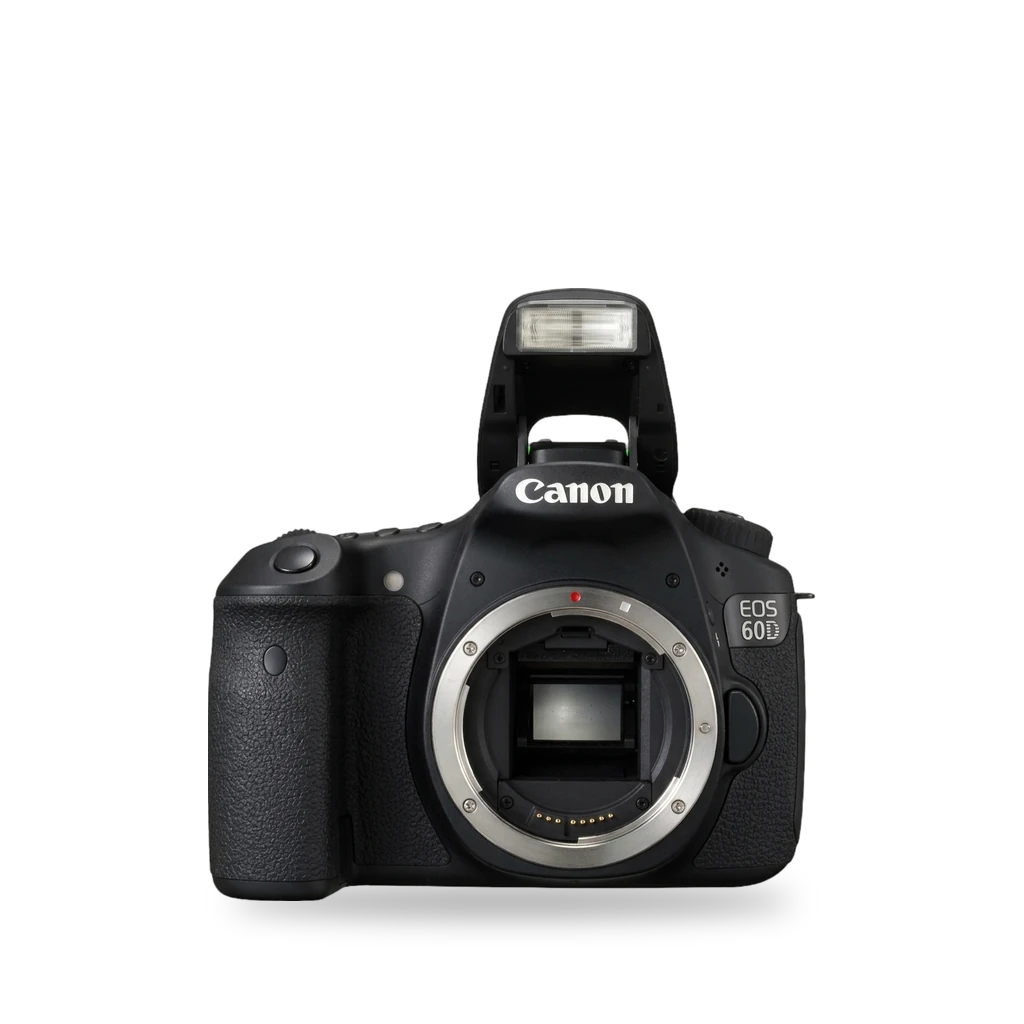
Photo: Philip Klever alias User:Killerwal, CC BY 3.0 · AI-edited (studio background)

CANON · CAMERA · 2010-2012
Canon EOS 60D / 60Da
Also called: EOS 60D · EOS 60Da · Magic Lantern
Canon's mid-range APS-C body from 2010, plus the 60Da astrophotography variant. Magic Lantern runs beside Canon's firmware from the SD card. The 60D install needs Canon firmware 1.1.1.[10][9][3]
Which one do I have?
| Model | Variant | Year | Firmware | How to tell |
|---|---|---|---|---|
| EOS 60D | APS-C DSLR | 2010 | 1.1.1 | September 2010. Articulating Clear View LCD. Magic Lantern needs Canon firmware 1.1.1.[10][3] |
| EOS 60Da | Astrophotography | 2012 | — | April 2012 astrophotography variant of the 60D. Hydrogen-alpha transmittance through the optical low-pass filter is about 3× higher. Based on the 60D.[11][9] |
Specs
Mods (1)
⚠ Mod at your own risk. We collect what others have published; we have not tested these mods. Read the safety notes
Magic LanternWorks
- ⚠ Can brick A mistake can leave the device unable to start.
- ⚠ Data loss Can erase what is on the device. Back up first.
Free GPL add-on that runs from the memory card next to Canon's firmware. On the 60D, install from firmware 1.1.1: format a card of 32 GB or smaller, copy the files, and run Canon's firmware update in Manual mode.[1][3][4][5][2][6][7][8]
Parts
- SD or SDHC card, 32 GB or smaller Fits — Used for the first install. The camera low-level formats it.[3]
Good to know
- Magic Lantern runs from the card as an add-on over standard Canon firmware. It does not replace firmware in ROM.[4][2]
- The bootloader uses a bootdisk flag and loads autoexec.bin from the card.[3][1]
- Project features include audio controls, zebras, focus peaking, bitrate control, HDR video, and an intervalometer.[5]
- The 60D install needs Canon firmware 1.1.1. The matching platform build is 60D.111.[3][7]
- First install: low-level format an SD or SDHC card of 32 GB or smaller in the camera, copy the files to the card root, and run Canon's firmware update with the mode dial on M.[6][3]
- The 60D.111 build enables erase-button menu shortcuts and Eye-Fi card tweaks, and turns off the on-screen upside-down flip because the screen already articulates.[7]
- Wikipedia lists the 60Da among Magic Lantern's supported cameras. There is no separate 60Da install guide in these sources.[1] unverified
- Hold SET at startup to bypass Magic Lantern for one session. Full uninstall runs Firmware Upgrade in-camera to clear the boot flag.[4]
⚠ Watch out
- The 60D install requires Canon firmware 1.1.1.[3][6]
- The project warns that third-party software can damage or destroy the camera. Magic Lantern writes settings to NVRAM that Canon firmware does not always validate.[3][4]
- The first install low-level formats the card. Use an SD or SDHC card of 32 GB or smaller and a fully charged original battery.[3]
- After you open the card door, wait for the card LED to finish (or about 5 seconds) before removing the card.[3]
- Canon does not cover repairs caused by third-party firmware.[8]
Guides:Magic Lantern INSTALL.txtMagic Lantern INSTALL.txt (master)
Buttons & modes
Sources (11)
- wiki Magic Lantern (firmware) - Wikipedia · 2026-11-16
- official magiclantern_simplified - reticulatedpines · 2026-11-15
- official Magic Lantern INSTALL.txt · 2026-11-15
- official Magic Lantern FAQ.txt · 2026-11-15
- official Magic Lantern FEATURES.txt · 2026-11-15
- docs Magic Lantern INSTALL.txt (master) · 2026-11-16
- docs Magic Lantern 60D.111 features.h · 2026-11-16
- blog Will Custom Firmware Void My Warranty? · 2026-11-15
- wiki Canon EOS 60D - Wikipedia · 2026-11-16
- official EOS 60D - Canon Camera Museum · 2026-11-16
- official EOS 60Da - Canon Camera Museum · 2026-11-16