Home › Devices › Canon › Canon EOS 750D
 NEW!
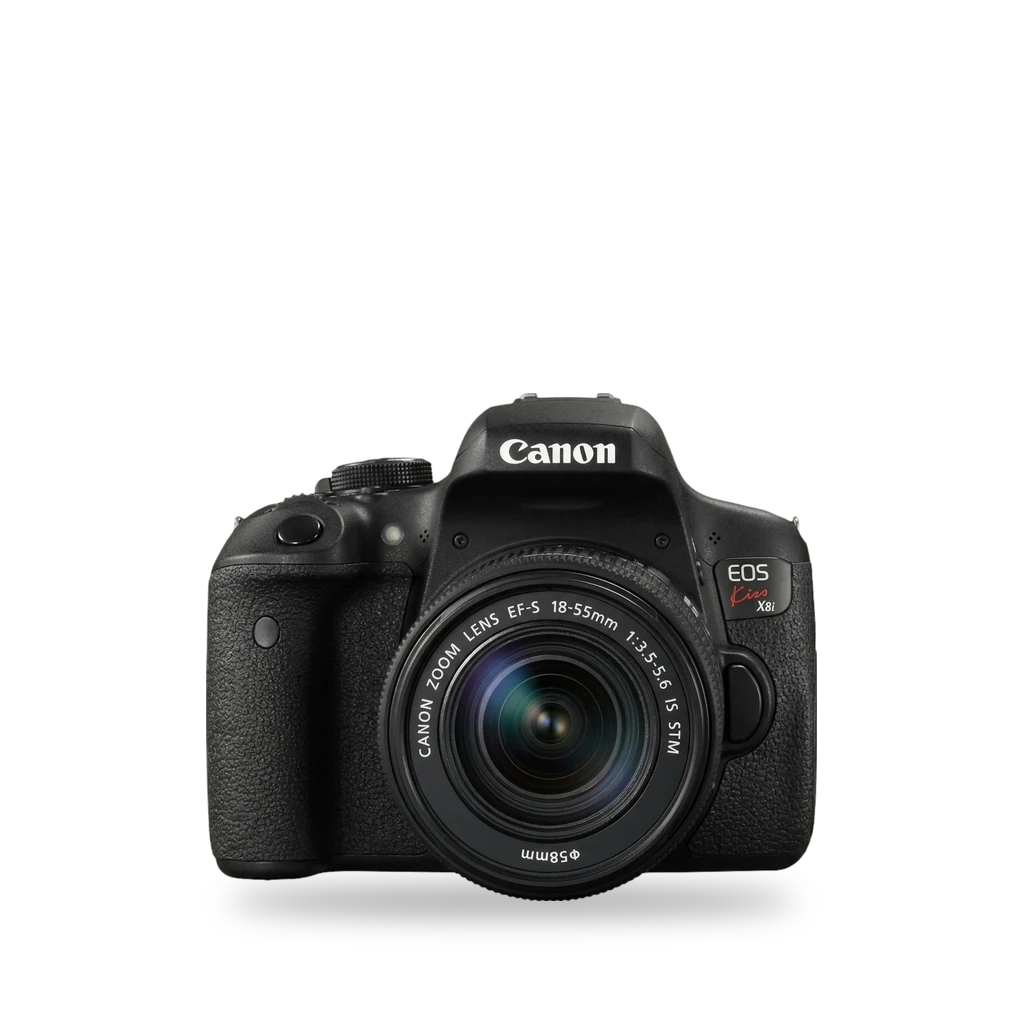
Photo: Alpsdake, CC BY-SA 4.0 · AI-edited (studio background)

CANON · CAMERA · 2015
Canon EOS 750D
Also called: EOS 750D · Rebel T6i · Kiss X8i · EOS Rebel T6i
Canon's 2015 APS-C Rebel (also T6i / Kiss X8i). Magic Lantern returned in 2025 with DIGIC 6 utility support. Not the 760D. iFixit documents LCD and motherboard repairs.[1][2][10][4]
Which one do I have?
Specs
Mods (4)
⚠ Mod at your own risk. We collect what others have published; we have not tested these mods. Read the safety notes
Magic LanternExperimental
- ⚠ Can brick A mistake can leave the device unable to start.
- ⚠ Data loss Can erase what is on the device. Back up first.
2025 revival builds list the 750D among newly supported DIGIC 6 cameras with utility features.[10][11][13][14][12][3][7][15]
Parts
- SD or SDHC card, 32 GB or smaller Fits — Used for a first Magic Lantern install.[13]
Good to know
- Magic Lantern runs from the card as an add-on over standard Canon firmware. It does not replace firmware in ROM.[14][12]
- CineD and No Film School list the 750D (Rebel T6i) among 2025 newly supported cameras with utility features such as intervalometer, custom crop marks, shutter count, and 30-minute Live View powersave disable.[10][11]
- Canon's firmware page for this body includes version 1.1.0.[3]
- A 2015 Unique Photo answer said no 750D build existed yet; that claim is outdated relative to the 2025 news.[7]
- Hold SET at startup to bypass Magic Lantern for one session.[14]
⚠ Watch out
Guides:Magic Lantern INSTALL.txt
Replace the LP-E17 batteryWorks
- ⚠ Lithium battery Uses or touches a lithium cell. A damaged cell can catch fire.
The camera takes a Canon LP-E17 pack (1040 mAh, 7.2 V). LC-E17 charge time is about 2 hours. About 440 viewfinder shots or 180 Live View shots per charge.[1][8][9]
Parts
- Canon LP-E17 Fits — Canon lithium-ion pack for the 750D.[1][8] Buy: videoguys.com.au
- Jupio LP-E17 replacement Fits with conditions — Third-party listing claims 1100 mAh; seller capacity not verified by Canon. Listing is marked no longer available.[9] Buy: digitalcamerawarehouse.com.au
Good to know
- Canon rates the LP-E17 at 1040 mAh and 7.2 V. LC-E17 takes about 2 hours to recharge.[1]
- About 440 shots through the viewfinder and about 180 in Live View at room temperature.[1]
Guides:No guide found yet.
LCD display replacementWorks
- ⚠ Stored charge Capacitors keep a dangerous charge after the device is off.
iFixit guide for the Rebel T6i / 750D LCD. About 25 minutes, moderate. Remove the battery first and handle the ribbon clamp gently.[5]
Good to know
Motherboard replacementWorks
- ⚠ Stored charge Capacitors keep a dangerous charge after the device is off.
iFixit path to the motherboard and button cell. Opening the case exposes the flash capacitor.[6]
Good to know
- Guide shows how to reach and replace the motherboard, including removing the button cell with tweezers.[6]
- Casing is pried apart along the seam with a plastic tool.[6]
⚠ Watch out
- Do not touch the terminals of the flash capacitor (black cylinder).[6]
Buttons & modes
| What | How |
|---|---|
| Bypass Magic Lantern once | Hold SET at startup.[14] |
Sources (15)
- official Specifications (EOS REBEL T6i / EOS 750D) · 2026-11-16
- wiki Canon EOS 750D - Wikipedia · 2026-11-16
- official EOS Rebel T6i / 750D Firmware Update, Version 1.1.0 · 2026-11-16
- docs Canon EOS Rebel T6i / 750D Repair Help · 2026-11-16
- docs Canon EOS Rebel T6i LCD Display Replacement · 2026-11-16
- docs Canon EOS Rebel T6i Motherboard Replacement · 2026-11-16
- forum Can I install Magic Lantern on a Canon EOS Rebel T6i / 750D? · 2026-11-16
- shop Canon LP-E17 Battery · 2026-11-16
- shop Jupio LP-E17 Li-Ion Battery for Canon · 2026-11-16
- news Magic Lantern is Back and Supports New Cameras · 2026-11-15
- news Magic Lantern is Back With New Support for Four Canon Cameras · 2026-11-15
- official magiclantern_simplified - reticulatedpines · 2026-11-15
- official Magic Lantern INSTALL.txt · 2026-11-15
- official Magic Lantern FAQ.txt · 2026-11-15
- blog Will Custom Firmware Void My Warranty? · 2026-11-15