Home › Devices › Casio › Casio G-Shock DW-5600
 CUSTOM FW!
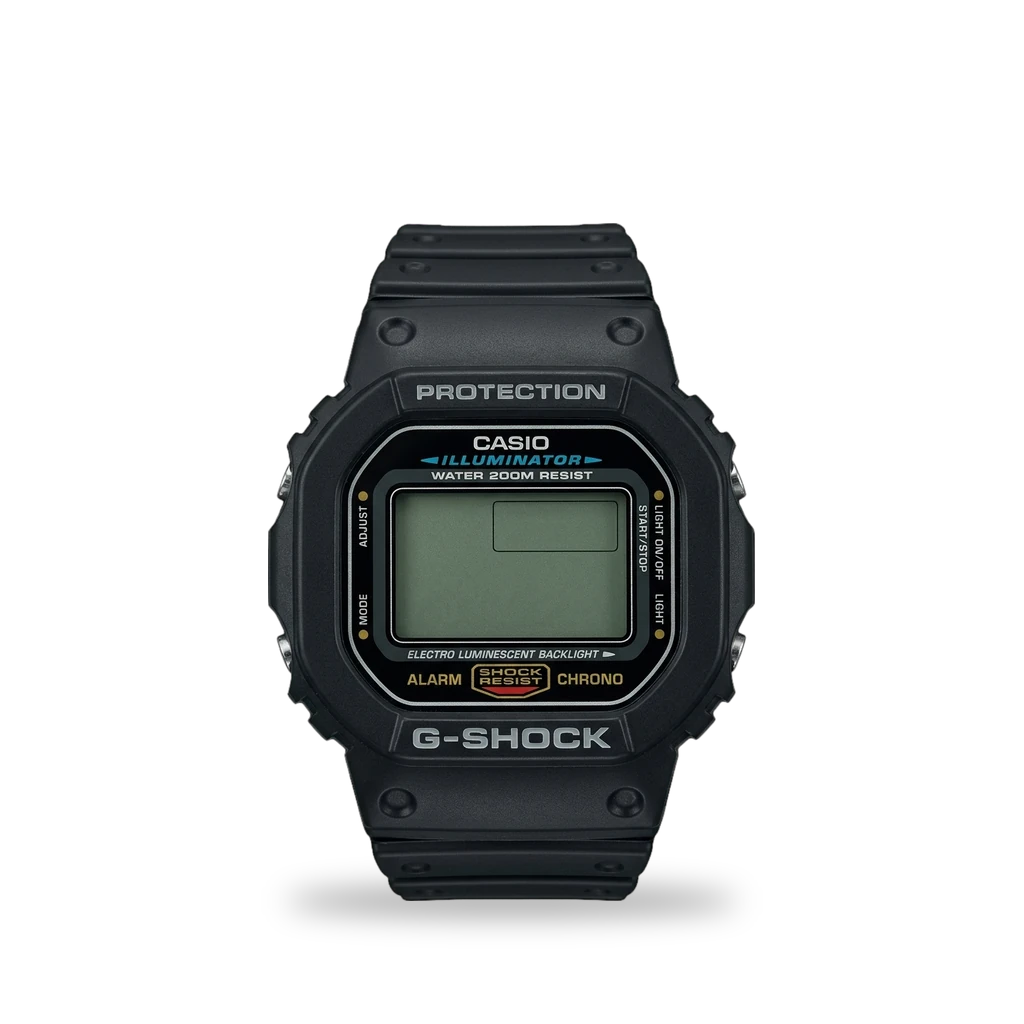
Photo: File:DW-5600E.png: Simon Le Bon derivative work: Pittigrilli, Public domain · AI-edited (studio background)

CASIO · WATCH
Casio G-Shock DW-5600
Also called: DW-5600 · DW5600UE · DW5600E-1V · DW-5600UE-1 · module 3525
Square G-Shock. The Jolt drop-in PCB replaces the DW5600UE (module 3525) board with a programmable ARM board and Second Movement firmware for faces, games and sensors.[1][2][3][6][5]
Which one do I have?
Specs
Mods (2)
⚠ Mod at your own risk. We collect what others have published; we have not tested these mods. Read the safety notes
Jolt programmable PCBExperimental
- ⚠ Permanent change Cuts, drills or glues the device. You cannot undo it.
Drop-in board replaces the stock DW5600UE module electronics with an ARM Cortex-M0+ PCB. Micro-USB for flashing; CR2016 runtime about 1.3 years at ~8 µA.[1][2][5][6]
Special tools: pliers or side cutters (micro-USB plug trim)
Parts
- Jolt custom PCB Fits with conditions — Designed for DW5600UE / module 3525; seller says it should fit other 3525 watches (unverified).[1][2] Buy: tindie.com · devolov.com
Good to know
- Jolt replaces the original DW-5600UE board with a programmable ARM Cortex-M0+ board forked from Joey Castillo's Sensor Watch (F-91W) project.[2][5]
- Seller states about 8 µA draw and about 1.3 years on a CR2016 (up to about 3 years in sleep). Factory module 3525 claims about 5 years.[1][2][6]
- Stock LCD runs at 4–4.5 V; the microcontroller cannot safely go above 3.6 V, so the display is dimmer at some angles.[1]
- The board is 0.4 mm thick. Squeeze the unused side of a micro-USB socket with pliers or cutters so the plug fits.[1]
- Designer says only the circuit board changes, so case drop and water resistance should remain; this is the designer's claim, not independently tested.[2] unverified
⚠ Watch out
- A higher LCD contrast voltage option is offered at the owner's risk.[2]
Guides:No guide found yet.
Second Movement firmware (Jolt fork)Works
Flash a UF2 over WATCHBOOT for watch faces, games and sensors. Build from the GitHub fork or use release assets matched to board revision.[3][4][1][2]
Good to know
- Connect the watch, press reset twice quickly, a WATCHBOOT drive appears, then drag the UF2 onto it.[1][3]
- The default Jolt build needs no board or display flags. Manual flash: copy build/firmware.uf2 to the watch.[3]
- Firmware 2.0.0 needs boards labelled v1.0.1 and up. 2.0.2 improves the step counter; holding Start on the clock shows steps.[4]
- Game faces start with a button combination on the clock face (START while holding ALARM about 1.5 seconds).[3]
- Features named on the project site include blackjack, Wordle, endless runner, moon phase, sunrise/sunset, steps and temperature logging.[2][5]
Guides:GitHub - voloved/second-movementReleases · voloved/second-movement
Sources (7)
- shop Jolt - A Custom PCB to Make G-Shock Hackable · 2026-11-17
- official Jolt - Custom PCB for G-Shock · 2026-11-17
- official GitHub - voloved/second-movement · 2026-11-17
- official Releases · voloved/second-movement · 2026-11-17
- news A Custom PCB For The Casio G-Shock · 2026-11-17
- blog G-SHOCK DW-5600 Specifications · 2026-11-17
- blog The G-Shock Watches with the Longest Battery Life · 2026-11-17