Home › Devices › Apple › iPod shuffle 1st gen
 NEW!

APPLE · MUSIC PLAYER · 2005
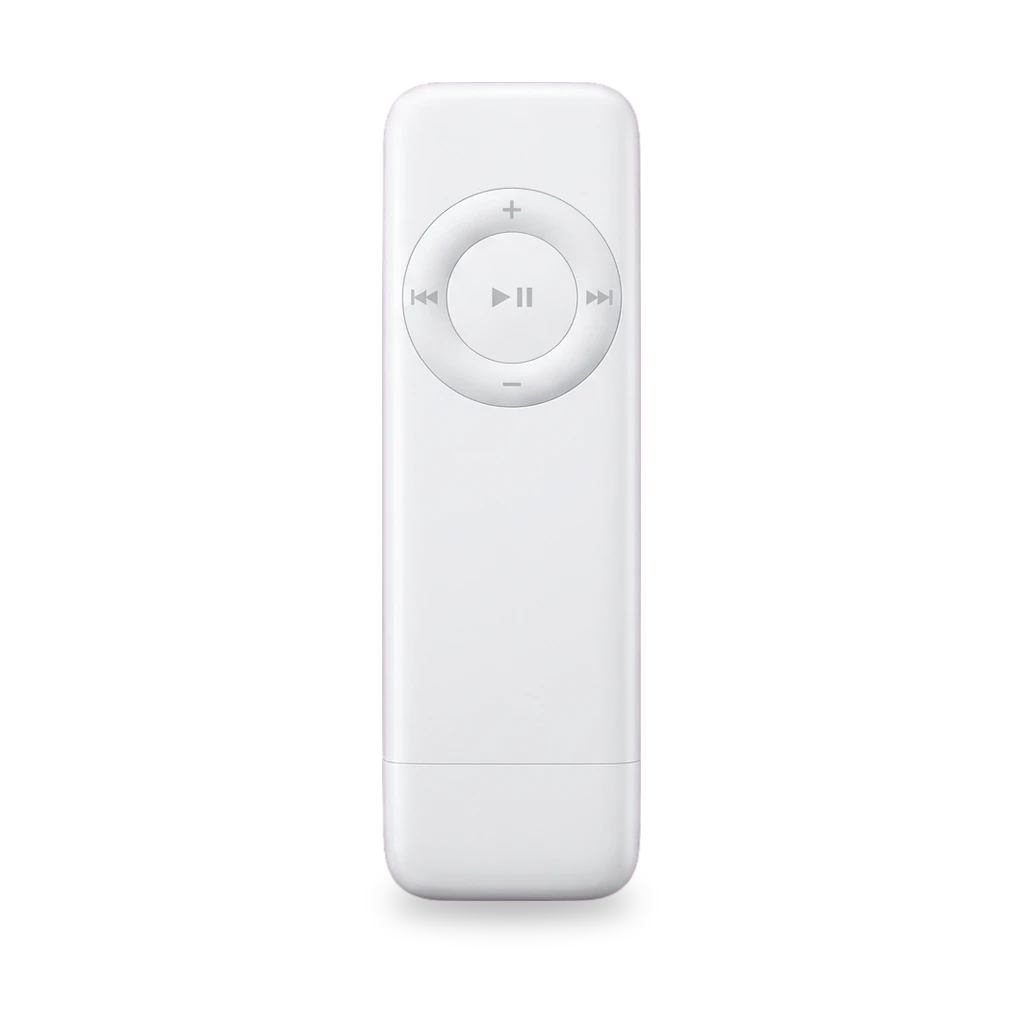
iPod shuffle 1st gen
Also called: iPod shuffle 1G · A1112 · EMC 2037 · M9724LL/A · M9725LL/A
USB stick-style shuffle with no display. Common repairs are a soldered battery, USB port, casing and hold switch. There is no easy flash storage upgrade.[2][7][5]
Which one do I have?
Specs
Mods (7)
⚠ Mod at your own risk. We collect what others have published; we have not tested these mods. Read the safety notes
Replace the batteryWorks
- ⚠ Lithium battery Uses or touches a lithium cell. A damaged cell can catch fire.
- ⚠ Soldering Needs a soldering iron. Heat can lift pads and burn skin.
Open the case, free the logic board, and solder a new cell to the board.[7][8][12]
Special tools: Soldering iron
Parts
- iPod Shuffle Gen 1 battery (616-0212, 250 mAh) Fits — Listed for all first-generation shuffles (A1112). Installation requires soldering to the logic board. Capacity conflicts with a 450 mAh wiki figure.[12][5] Buy: ifixit.com
Good to know
- iFixit rates the battery and logic-board guide Very difficult. Troubleshooting confirms soldering is required.[7][8]
- Installing the battery requires soldering it to the logic board.[12]
⚠ Watch out
- Guide commenters note missing soldering photos and that the written steps partly mention a click wheel the 1G does not have — check each step against the board.[7]
Guides:iPod Shuffle 1st Generation Battery & Logic Board Replacement - iFixit
Replace the hold switchWorks
Swap the external hold switch slider.[11][8]
Good to know
- iFixit rates the hold-switch guide Very easy, about 30 seconds. Lock the hold switch before opening work on other repairs.[11]
⚠ Watch out
Guides:iPod Shuffle 1st Generation Hold Switch Replacement - iFixit
Replace the USB portWorks
Open the case and swap the USB connector used for sync and charge.[10]
Good to know
- iFixit rates the USB port guide Difficult.[10]
⚠ Watch out
- Pulling on the USB port can tear a fragile ribbon cable.[10]
Guides:iPod Shuffle 1st Generation USB Port Replacement - iFixit
Replace the casingWorks
Swap the white plastic outer shell.[9]
Good to know
- iFixit rates the casing guide Difficult.[9]
⚠ Watch out
- Freeing the USB glue can take many knife passes. A fragile ribbon can rip if the USB port comes free.[9]
Guides:iPod Shuffle 1st Generation Casing Replacement - iFixit
DIY travel cover (Band-Aid box)Experimental
Machined aluminum shellExperimental
Flash storage upgradeNot possible
Buttons & modes
Sources (14)
- official iPod shuffle - Technical Specifications - Apple Support · 2026-11-17
- official Identify your iPod model - Apple Support · 2026-11-17
- official iPod shuffle (1st Generation) Manuals and Downloads - Apple Support · 2026-11-17
- docs iPod shuffle 1st Gen Specs (A1112) - EveryiPod.com · 2026-11-17
- wiki iPod shuffle (1st generation) - iPodWiki · 2026-11-17
- wiki iPod Shuffle - Wikipedia · 2026-11-17
- docs iPod Shuffle 1st Generation Battery & Logic Board Replacement - iFixit · 2026-11-17
- wiki iPod Shuffle 1st Generation Troubleshooting - iFixit · 2026-11-17
- docs iPod Shuffle 1st Generation Casing Replacement - iFixit · 2026-11-17
- docs iPod Shuffle 1st Generation USB Port Replacement - iFixit · 2026-11-17
- docs iPod Shuffle 1st Generation Hold Switch Replacement - iFixit · 2026-11-17
- shop iPod Shuffle Gen 1 Battery · 2026-11-17
- news Custom made machined aluminum iPod shuffle case | iLounge · 2026-11-17
- blog ipodshufflecoverfromtravelbandaidbox - charliemote · 2026-11-17