Home › Devices › Amazon › Kindle Paperwhite
 NEW!
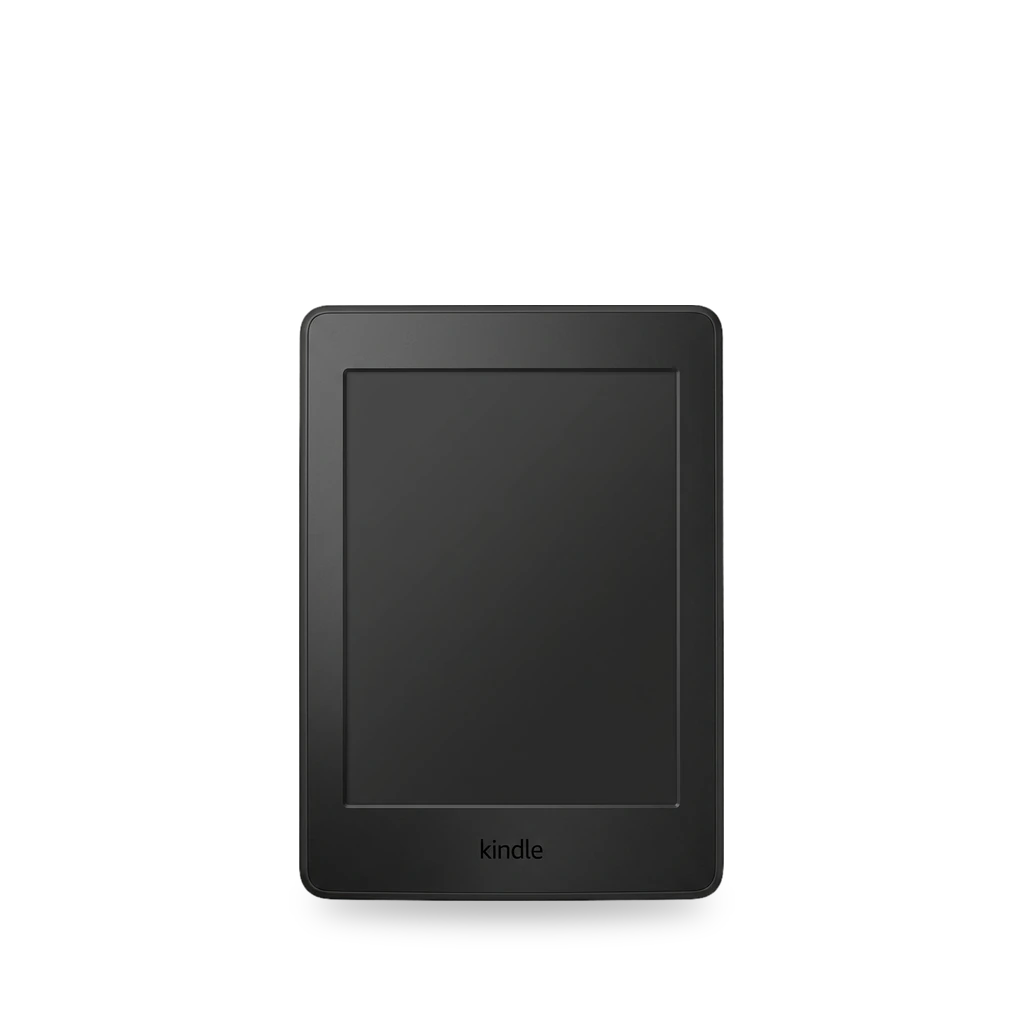
Photo: Wandelopa, CC BY-SA 4.0 · AI-edited (studio background)

AMAZON · E READER · 2012-2021
Kindle Paperwhite
Also called: PW1 · PW2 · PW3 · PW4 · PW5 · PW6 · Paperwhite
Amazon's Kindle Paperwhite, from the first model on. Serial prefixes separate PW1 through PW5. Véra jailbreaks the 11th generation (PW5) and 12th generation (PW6) from the device's browser. Documented repairs swap the battery on the 3rd generation and the 12th generation.[1][2][6][7]
Which one do I have?
| Model | Variant | Year | How to tell |
|---|---|---|---|
| PW1 | Paperwhite 1 | — | Serial starts with B024, B01B, B020, B01C, B01D, or B01F.[1] |
| PW2 | Paperwhite 2 | 2013 | Serial starts with B0D4, 90D4, B05A, 905A, B0D5, 90D5, B0D6, B0D7, B0D8, B0F2, B017, B060, B062, B05F, or B061.[1] |
| PW3 | Paperwhite 3 | 2015-2016 | Serial starts with G090G1, G090G2, G090G4, G090G5, G090G6, G090G7, G090KB, G090KC, G090KE, G090KF, G090LK, or G090LL. iFixit's battery guide is for the 3rd generation, and its notes call that unit 7th gen.[1][6] |
| PW4 | Paperwhite 4 | 2018 | Serial starts with G000PP, G8S0PP, G000T6, G8S0T6, G000T1, G000T2, G00102, G000T3, G0016T, G0016Q, G0016U, G0016V, G00103, G0016R, or G0016S.[1] |
| PW5 | Paperwhite 5 (11th generation) | 2021 | Serial starts with G001LG, G001PX, G8S1PX, G002BH, G002DK, G8S2DK, G0021A, G00219, or G8S219. The Véra notes call this the 11th generation Paperwhite.[1][2] |
| PW6 | 12th generation | — | The Véra notes call the 12th generation Paperwhite PW6. iFixit has a battery guide for that generation.[2][7] |
Mods (6)
⚠ Mod at your own risk. We collect what others have published; we have not tested these mods. Read the safety notes
Véra jailbreakWorks
An on-device browser jailbreak for the 11th generation (PW5) and 12th generation (PW6) Paperwhite. It supports firmware up to 5.19.6 and does not need a computer.[2][3][4]
Good to know
- Véra supports Kindle firmware up to 5.19.6. For Paperwhites it names the 11th generation (PW5) and 12th generation (PW6). The minimum firmware for most supported models is 5.17.1.[2]
- The same notes also list the 11th generation Kindle Basic and the Kindle Colorsoft.[2]
- The jailbreak runs in the Kindle's experimental web browser. No computer is required.[2]
- The guide has you fill up the Kindle's storage first, then open kindlemodding.org/vera, pick the model and firmware, and download two books.[3]
- In the Font Calibration book you change the Bookerly font size and layout and save a theme. Opening the second book, Véra, runs the payload and restarts the interface jailbroken.[3]
⚠ Watch out
WinterBreak and AdBreakExperimental
Two Kindle jailbreaks that cover almost all models. One overview says the process took under 15 minutes.[4]
Good to know
- WinterBreak and AdBreak work on almost all Kindle models, except the latest Kindle Scribe. The author says the process took under 15 minutes.[4]
⚠ Watch out
- After a jailbreak, turn off OTA updates so the device does not lose root access.[4]
Guides:A guide to jailbreaking and installing apps on your Kindle - Notebookcheck
KindleForge homebrew storeWorks
After a jailbreak, KindleForge is a one-click store for homebrew apps, including KOReader, a terminal, and emulators.[4]
Good to know
- KindleForge is a one-click graphical homebrew store. The listed apps include KOReader, Toggle Ads, kTerm, Alpine Linux, and game emulators.[4]
⚠ Watch out
- Turn off OTA updates after a jailbreak so the device does not lose root access.[4]
Guides:A guide to jailbreaking and installing apps on your Kindle - Notebookcheck
KOReaderWorks
A document reader for a jailbroken Kindle. It runs next to Amazon's software and opens EPUB, PDF, and other formats listed on the KOReader wiki.[5][4]
Good to know
- KOReader runs on a jailbroken Kindle, after a jailbreak and a launcher install, next to the stock Kindle software.[5]
- KindleForge's app list includes KOReader.[4]
- Native formats include EPUB, PDF, DjVu, XPS, CBZ, FB2, TXT, HTML, RTF, CHM, DOC, MOBI, and ZIP.[5]
- It can reflow a PDF with k2pdfopt, look up words with OCR, sync with Calibre over wireless, and browse OPDS catalogs.[5]
Guides:No guide found yet.
Paperwhite 3 batteryWorks
- ⚠ Lithium battery Uses or touches a lithium cell. A damaged cell can catch fire.
iFixit rates a 3rd generation Paperwhite battery swap Moderate: about 10 to 15 minutes. The pack on that guide is model MC-354775-05.[6]
Parts
- Battery MC-354775-05 Fits — The 3rd generation guide. Three 3.0 mm Phillips #000 screws hold it to the mid-frame.[6]
Good to know
- The guide is rated Moderate and about 10 to 15 minutes.[6]
- The front bezel is stuck down with adhesive and comes off with a plastic opening tool. Eleven 3.2 mm Phillips #000 screws hold the mid-frame.[6]
- The battery is a 3.7 V lithium-polymer cell, model MC-354775-05. Three 3.0 mm Phillips #000 screws hold it to the mid-frame.[6]
⚠ Watch out
- Do not slip the opening tool under the display. That can ruin the digitizer.[6]
Guides:Kindle Paperwhite 3rd Generation Battery Replacement - iFixit
12th generation batteryWorks
- ⚠ Lithium battery Uses or touches a lithium cell. A damaged cell can catch fire.
iFixit has a 5-step battery guide for the 12th generation Paperwhite. Clips hold the back cover to the chassis, and adhesive holds the battery to the case.[7]
Good to know
- The guide is a 5-step battery replacement for the 12th generation Paperwhite.[7]
- Clips hold the back cover to the chassis, and adhesive holds the battery to the case.[7]
⚠ Watch out
- A swollen cell can catch fire. Handle a swollen pack carefully.[7]
Guides:Kindle Paperwhite 12th Gen Battery Replacement - iFixit
Sources (7)
- wiki Kindle Serial Numbers - MobileRead Wiki · 2026-11-14
- blog New Véra Jailbreak Released for Latest Kindles with Current Software - The eBook Reader Blog · 2026-11-14
- docs Véra Jailbreak Guide - KindleModding Wiki · 2026-11-14
- news A guide to jailbreaking and installing apps on your Kindle - Notebookcheck · 2026-11-14
- wiki KOReader - MobileRead Wiki · 2026-11-14
- wiki Kindle Paperwhite 3rd Generation Battery Replacement - iFixit · 2026-11-14
- wiki Kindle Paperwhite 12th Gen Battery Replacement - iFixit · 2026-11-14