Home › Devices › Amazon › Kindle Touch
 NEW!
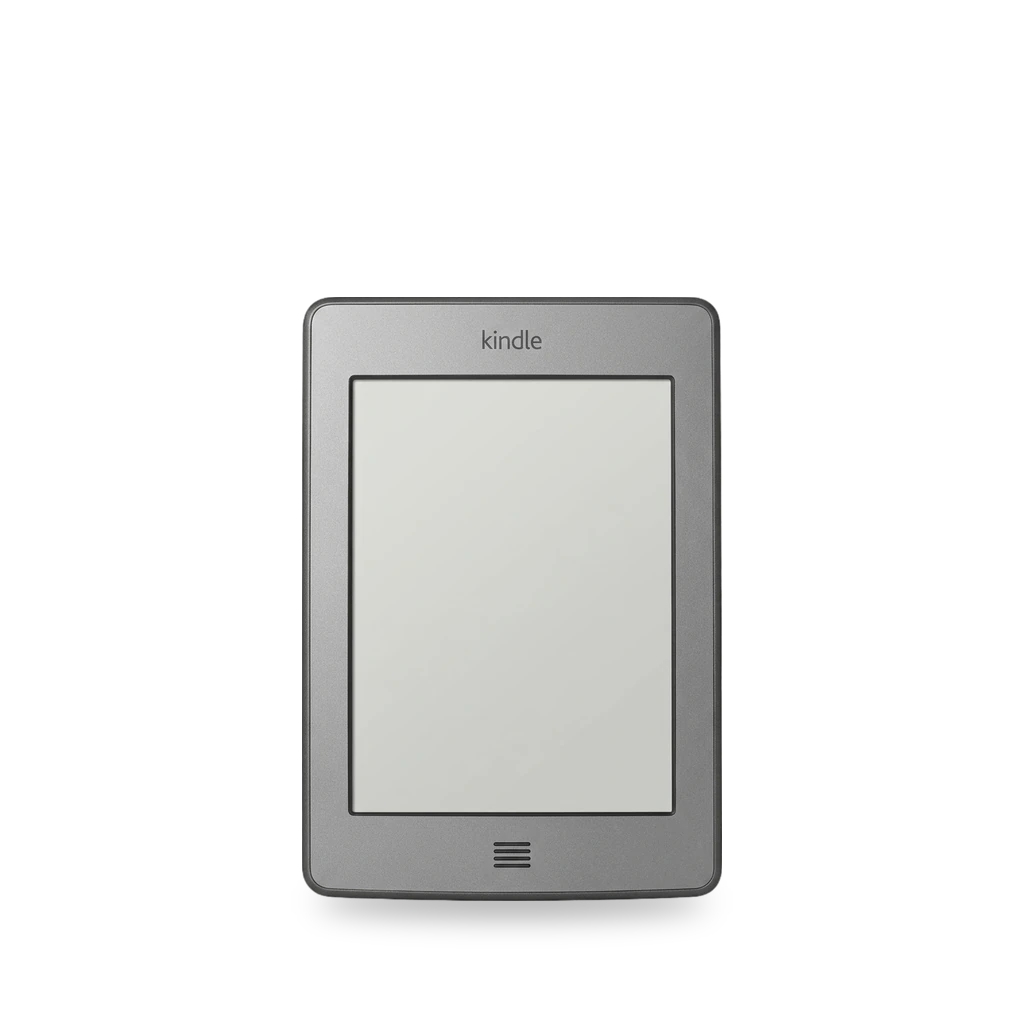
Photo: Safranyl, CC BY-SA 3.0 · AI-edited (studio background)

AMAZON · E READER · 2011
Kindle Touch
Also called: KT · K5 · Kindle Touch 4th Generation · D01200
Amazon’s 4th-generation Kindle with a 6-inch touch E Ink screen (model D01200 / K5). Documented work is the NiLuJe K5 jailbreak (firmware 5.0.x–5.4.4.2) plus KUAL/MRPI and KOReader, a custom screensaver package, and iFixit battery, screen, and rear-case repairs. Amazon ends store downloads for 2012-and-earlier Kindles on May 20, 2026; USB sideloading still works.[9][7][3][5][8][10][15]
Which one do I have?
| Model | Variant | Year | Firmware | How to tell |
|---|---|---|---|---|
| D01200 | Wi-Fi only | 2011 | 5.4.4.2 (last jailbreakable with NiLuJe K5 method) | 4th generation Kindle, short name KT or K5. Touch screen with a physical home button. Model and serial are printed at the bottom of the back case. Wi-Fi-only units have a plastic placeholder where the 3G board sits.[9][7][12][3] |
| D01200 | Wi-Fi + 3G | 2011 | — | Same Touch body with a 3G board fitted instead of the Wi-Fi-only placeholder.[9][12] |
Specs
| Screen | 6-inch E Ink, 600×800 at 167 ppi[17] |
| CPU | Freescale i.MX508, ARM Cortex-A8, 800 MHz[17] |
| Storage | 4 GB internal[9][17] |
| Battery | About two months of life; replacement packs sold as 3.7 V 1400 mAh Li-Poly (PRB-30)[9][11] |
| Ports / audio | USB 2.0 micro-B; 3.5 mm stereo jack; rear speakers[17] |
| Wireless | Wi-Fi 802.11b/g/n; some units also have 3G[9][17] |
Mods (7)
⚠ Mod at your own risk. We collect what others have published; we have not tested these mods. Read the safety notes
K5 jailbreak and KUALWorks
- ⚠ Can brick A mistake can leave the device unable to start.
- ⚠ Data loss Can erase what is on the device. Back up first.
NiLuJe’s legacy K5 jailbreak for firmware 5.0.x to 5.4.4.2. Copy the package to the Kindle root, run Update Your Kindle, reboot, then install KUAL and MRPI. Block OTA updates so a later firmware does not undo the jailbreak.[2][3][1][5][6][7]
Good to know
- The NiLuJe K5 jailbreak is a legacy jailbreak for the Kindle Touch (K5).[2][1]
- It works on firmware 5.0.x through 5.4.4.2. It does not work on firmware 5.4.5 or later.[3]
- Install: copy the package files to the Kindle root, eject, then Settings → Update Your Kindle. A JAILBREAK notice appears; reboot afterward.[2][3][1]
- After jailbreak, install KUAL (launcher) and MRPI (package installer). You may need about 220 MB free; turn Airplane mode on before freeing space so an OTA update does not download.[5]
- A factory reset breaks key parts of the jailbreak, so it must be reapplied. Filling free space (leave about 50–90 MB) and removing update*.bin files helps block automatic updates.[3][6]
⚠ Watch out
Guides:KindleModding - NiLuJe K5 JailbreakJailbreak a Kindle Touch · Fekir's BlogKindleModding - Installing KUAL & MRPIKindleModding - Prevent Automatic Updates
KOReaderWorks
- ⚠ Data loss Can erase what is on the device. Back up first.
Open-source document viewer for jailbroken Kindles. On the Touch, install via KindleModding KPM after KUAL, or copy a release zip and launch from KUAL.[8][4][1]
Good to know
- KOReader’s “Kindle” build covers the Kindle Touch along with Kindle 4 and the original Paperwhite.[8]
- KindleModding installs KOReader from the KPM repository: enable Wi-Fi, update sources, then run ;kpm install koreader in the search bar and launch from the new icon.[4]
- A 2026 Touch walkthrough instead copied a KOReader release zip onto the device and started it from KUAL.[1]
- KOReader can show the current book cover as the sleep screen (Settings → Screen → Sleep Screen).[1]
Guides:KindleModding - Getting KOReaderJailbreak a Kindle Touch · Fekir's Blog
Custom screensaver imagesExperimental
- ⚠ Data loss Can erase what is on the device. Back up first.
Yifan Lu’s package lets a jailbroken, non–Special Offers Touch show custom PNG screensavers.[16]
Good to know
- The package lets you use custom PNG images as screensavers; images are auto-scaled to the screen.[16]
- It only works on Kindle Touches without Special Offers (ads). Jailbreak is required first.[16]
Guides:No guide found yet.
Replace the batteryWorks
- ⚠ Lithium battery Uses or touches a lithium cell. A damaged cell can catch fire.
Power off, unclip the back cover (six plastic clips), remove five Phillips #00 screws, and lift the pack with a spudger. Replacement packs are sold as 3.7 V 1400 mAh Li-Poly (PRB-30).[10][11]
Special tools: opening tool, Phillips #00 screwdriver, spudger
Parts
- PRB-30 3.7 V 1400 mAh Li-Poly Fits — Sold as a Kindle Touch replacement cell.[11] Buy: batterymart.com
Good to know
- iFixit rates the battery guide Easy and about five minutes.[10]
- Slide the rear panel toward the charging port after releasing six plastic clips, then remove five Phillips #00 screws and lift the battery.[10]
⚠ Watch out
- A new battery does not always revive a dead Touch; at least one iFixit comment reported no change after a swap.[10]
Guides:Kindle Touch Battery Replacement - iFixit Repair Guide
Replace the E Ink screenWorks
Full disassembly to separate the screen from the support unit. Lift speaker connectors carefully; heat the glue holding the Wi-Fi unit before separating.[12]
Special tools: iOpener, metal spudger
Good to know
- iFixit rates the screen guide Moderate and about twenty minutes.[12]
- Speaker connectors must be lifted gently, not pulled, or they can be damaged. Glue holds the Wi-Fi unit to the screen; heat it before separating.[12]
Guides:Kindle Touch Screen Replacement - iFixit Repair Guide
Replace the rear casingWorks
Remove the back cover and battery, unclip the bezel, then remove the rear-case screws. Keep three pairs of different-length screws sorted.[13]
Good to know
- iFixit rates the rear-casing guide Moderate and about ten minutes.[13]
- Three pairs of screws differ in length; keep them apart. Bezel clips can bend, and the bottom of the bezel is glued.[13]
Guides:Kindle Touch Rear Casing Replacement - iFixit Repair Guide
Clean a stuck home buttonExperimental
Community fix for a dead home/menu button: open the front enough to reach the switch and clean built-up grime with isopropyl alcohol.[14]
Good to know
- One Answers report fixed a dead home button by cleaning crud from the switch with 91% isopropyl alcohol and working the button.[14]
- A commenter says the front cover is harder to remove than some videos show.[14]
Guides:No guide found yet.
Sources (17)
- blog Jailbreak a Kindle Touch · Fekir's Blog · 2026-11-16
- official KindleModding - NiLuJe K5 Jailbreak · 2026-11-16
- forum MobileRead Forums - Kindle Touch/PW1/PW2 5.0.x - 5.4.4.2 JailBreak · 2026-11-16
- official KindleModding - Getting KOReader · 2026-11-16
- official KindleModding - Installing KUAL & MRPI · 2026-11-16
- official KindleModding - Prevent Automatic Updates · 2026-11-16
- official KindleModding - Manually Downloading Firmware Update Files · 2026-11-16
- official Installation on Kindle devices · koreader/koreader Wiki · GitHub · 2026-11-16
- docs Kindle Touch Repair Help: Learn How to Fix It Yourself. · 2026-11-16
- docs Kindle Touch Battery Replacement - iFixit Repair Guide · 2026-11-16
- shop Replacement Amazon Kindle Touch Portable Reader Battery | Battery Mart · 2026-11-16
- docs Kindle Touch Screen Replacement - iFixit Repair Guide · 2026-11-16
- docs Kindle Touch Rear Casing Replacement - iFixit Repair Guide · 2026-11-16
- blog Amazon Ending Support for All Kindles Released Before 2013 · 2026-11-16
- blog Custom Screensaver for Kindle Touch | Yifan Lu · 2026-11-16
- wiki MobileRead Wiki - Kindle Touch · 2026-11-16