Home › Devices › Kobo › Kobo Touch
 NEW!
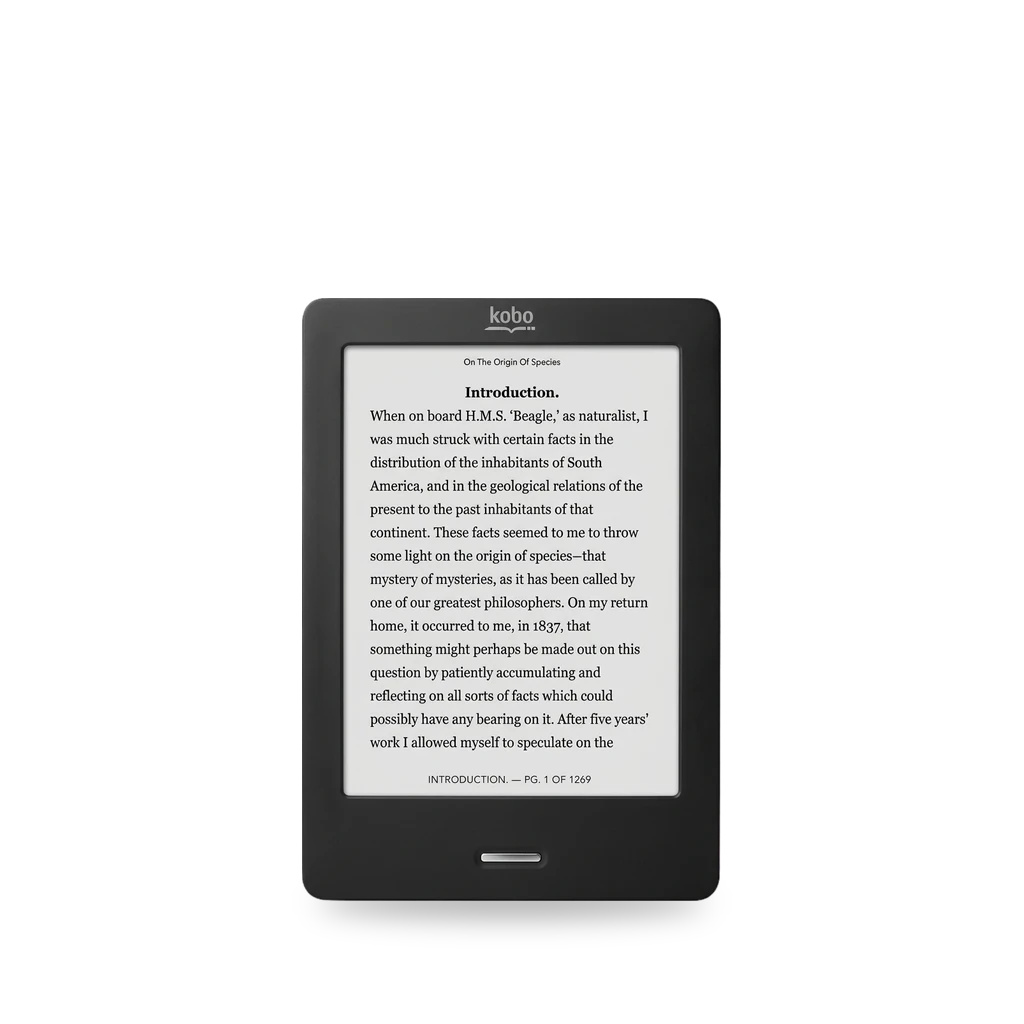
Photo: Honza chodec, CC BY-SA 3.0 · AI-edited (studio background)

KOBO · E READER · 2011
Kobo Touch
Also called: Kobo eReader Touch · N905 · N905B · N905C
Rakuten Kobo’s original Touch e-reader (N905 / N905B / N905C). KOReader installs beside Nickel via NickelMenu or KFMon. Quill OS supports N905B and N905C. Community guides cover battery, screen and internal microSD upgrades.[1][5][8][9][10]
Which one do I have?
| Model | Variant | Year | How to tell |
|---|---|---|---|
| N905 | Original Touch | 2011 | Home button at the bottom. Model N905 on the bottom edge. Two motherboard revisions exist (different CPU; some use SD instead of eMMC). Not on Quill OS’s supported list.[1][2][11][8] |
| N905B | Touch revision B | — | Same Home-button Touch family. Quill OS lists N905B as supported. iFixit has an N905B screen guide.[1][8][10] |
| N905C | Touch revision C | — | Same Home-button Touch family. Quill OS lists N905C as supported. Do not confuse with Touch 2.0 (N587).[1][2][8][3] |
Specs
Mods (5)
⚠ Mod at your own risk. We collect what others have published; we have not tested these mods. Read the safety notes
KOReaderWorks
- ⚠ Data loss Can erase what is on the device. Back up first.
Open-source document viewer. The full Kobo lineup is supported starting from the Touch. Install beside NickelMenu or KFMon by copying into .adds.[5][6][7][12][13][14]
Good to know
- The full Kobo lineup is supported starting from the Touch. KOReader’s MobileRead page also lists the Kobo Touch among supported platforms.[5][6]
- Install with KFMon or NickelMenu and copy the KOReader folder into .adds. NickelMenu itself installs by copying KoboRoot.tgz into the .kobo folder.[5][7]
- On firmware 4.17 and later, set ExcludeSyncFolders so Nickel does not index hidden folders.[5]
- An official firmware update disables KFMon, so reinstall it afterward. NickelMenu installs do not need that step.[5]
⚠ Watch out
Guides:Installation on Kobo devices · koreader/koreader Wiki
Quill OS (InkBox-based)Experimental
- ⚠ Can brick A mistake can leave the device unable to start.
- ⚠ Data loss Can erase what is on the device. Back up first.
- ⚠ Permanent change Cuts, drills or glues the device. You cannot undo it.
Replacement OS flashed to the internal microSD. Quill lists N905B and N905C as supported; the original N905 is not on that list.[8]
Good to know
- Quill lists Kobo Touch N905B and N905C as supported. The original N905 is not on the supported list.[8]
- Install writes a Quill image to the internal microSD card, not to main memory.[8]
⚠ Watch out
- Flashing risks physical damage to the device, and any data on the e-reader will be permanently lost. The Quill project takes no responsibility for install problems.[8]
Guides:Home · Quill-OS/quill Wiki
Battery replacementWorks
- ⚠ Soldering Needs a soldering iron. Heat can lift pads and burn skin.
Swap the internal pack for an H384355-sized cell. Replacement parts often lack the original socket, so the connector must be soldered on.[9]
Parts
- H384355 battery (1000 mAh, 43×55×3.8 mm) Fits with conditions — Similar aftermarket cells may omit the socket; solder the original connector across.[9]
Good to know
- The Touch uses battery H384355, rated 1000 mAh, 43×55×3.8 mm.[9]
- The original pack has wires and a socket; similar replacements often have no socket, so the author solders the socket onto the new cell.[9]
⚠ Watch out
- This method voids the warranty and is at the user’s own risk.[9]
Screen replacementWorks
Internal microSD memory upgradeExperimental
- ⚠ Can brick A mistake can leave the device unable to start.
- ⚠ Data loss Can erase what is on the device. Back up first.
Clone the internal storage card to a larger microSD. A Glo HD tutorial says the same upgrade works on the Touch, Mini, Glo and Aura HD.[15][16][4]
Good to know
Sources (16)
- official Kobo Touch – Rakuten Kobo · 2026-11-17
- official Identify your Kobo eReader or Kobo tablet – Rakuten Kobo · 2026-11-17
- blog Here's How to Tell All the Different Kobo Models Apart · 2026-11-17
- wiki MobileRead Wiki - Kobo eReader Touch · 2026-11-17
- official Installation on Kobo devices · koreader/koreader Wiki · 2026-11-17
- wiki MobileRead Wiki - KOReader · 2026-11-17
- official Home · Quill-OS/quill Wiki · 2026-11-17
- docs E-ink-reader. The battery for Kobo Touch · 2026-11-17
- docs Kobo Touch (N905B) E-Reader Screen Replacement · 2026-11-17
- forum Adding Kobo Touch N905 (kobo-n905-imx507) · 2026-11-17
- forum Koreader running on Kobos - Page 62 · 2026-11-17
- forum Koreader running on Kobos - Page 50 · 2026-11-17
- forum Koreader running on Kobos - Page 80 · 2026-11-17
- blog Kobo Glo HD Memory Upgrade How to Tutorial · 2026-11-17
- forum SDHC cards officially unsupported - Page 3 · 2026-11-17