Home › Devices › OnePlus › OnePlus One
 NEW!
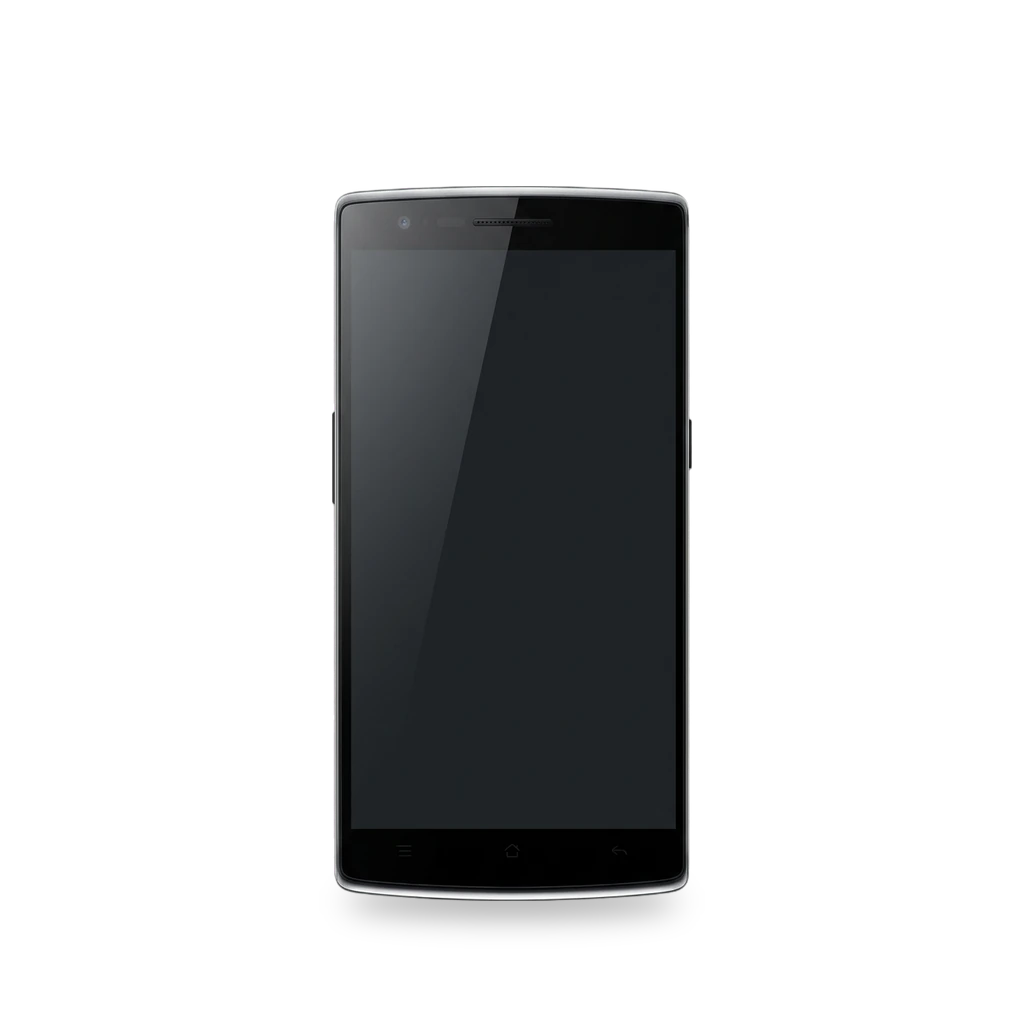
Photo: danishprakash (http://danishprakash.deviantart.com/), CC BY-SA 4.0 · AI-edited (studio background)

ONEPLUS · PHONE · 2014-2016
OnePlus One
Also called: OPO · bacon · A0001
2014 invite-only Android phone (codename bacon) with an unlockable bootloader, official TWRP, and a long custom-ROM life ending at LineageOS 18.1. Common hardware work is battery, screen, and Micro USB port replacement. No microSD slot.[10][1][5][11]
Which one do I have?
Specs
Mods (8)
⚠ Mod at your own risk. We collect what others have published; we have not tested these mods. Read the safety notes
Unlock bootloader and flash TWRPWorks
- ⚠ Can brick A mistake can leave the device unable to start.
- ⚠ Data loss Can erase what is on the device. Back up first.
Unlock with fastboot oem unlock (wipes data), then flash Team Win Recovery. Needed before most custom ROMs.[5][2][1][16][17]
Good to know
- Bootloader mode is volume up + power; recovery is volume down + power.[1]
- Unlocking the bootloader erases all data. Remove Google accounts first to avoid factory reset protection.[2][16]
- TWRP lists codename bacon with current support. Fastboot flash: rename the image to twrp.img, then fastboot flash recovery twrp.img.[5][17]
⚠ Watch out
LineageOSWorks
- ⚠ Can brick A mistake can leave the device unable to start.
- ⚠ Data loss Can erase what is on the device. Back up first.
Flash LineageOS 18.1 (Android 11) via recovery after unlocking. Official wiki covers install, upgrade, and OTA updates. The device is no longer maintained.[1][2][3][4][14][15]
Good to know
- LineageOS no longer maintains the OnePlus One. Previously supported branches include 14.1 through 18.1 (Android 11).[1]
- Install guide is written for LineageOS 18.1: unlock, flash LineageOS recovery, then sideload the zip. Google Apps must be installed before the first boot if you want them.[2]
- Upgrading between LineageOS versions is not done by the Updater app and needs a wipe that removes user apps.[3]
- Within 18.1, LineageOS recommends the built-in Updater app for updates.[4]
- LineageOS ships without bundled root or Google services. Builds are device-specific.[14][15]
⚠ Watch out
- Check that calls and SMS work on stock before unlocking.[2]
Guides:Install LineageOS on baconUpgrade LineageOS on baconUpdate LineageOS on bacon
Ubuntu Touch (abandoned)Discontinued
- ⚠ Can brick A mistake can leave the device unable to start.
- ⚠ Data loss Can erase what is on the device. Back up first.
UBports listed a Focal (20.04) port for bacon. The project marks the device abandoned; cellular data, calls, and SMS are listed as untested.[12]
Good to know
- UBports Focal page for bacon: state Abandoned; nobody is actively developing it.[12]
- Cellular data, calls, and SMS are listed as untested; the port is not maintained and will not get fixes.[12]
Guides:No guide found yet.
/e/OS (unofficial)Experimental
- ⚠ Can brick A mistake can leave the device unable to start.
- ⚠ Data loss Can erase what is on the device. Back up first.
Community builds of /e/OS for bacon existed at Nougat-era branches. System partition size forced trimmed Minimal Apps builds.[13]
Good to know
- /e/ maintained bacon at Nougat (Android 7).[13]
- A full v1.0 build was too large for the device; later builds were trimmed for the 16 GB system partition.[13]
Guides:No guide found yet.
Replace batteryWorks
- ⚠ Lithium battery Uses or touches a lithium cell. A damaged cell can catch fire.
Open the back panel, disconnect the glued-in Li-Po pack, and fit a replacement. About 25–30 minutes; moderate difficulty.[6][1][9]
Special tools: Phillips #00 screwdriver, plastic opening tools
Parts
- OnePlus One battery Fits — Integrated pack; can be damaged when prying it free.[6] Buy: ifixit.com
Good to know
- The battery is non-removable Li-Po 3100 mAh and is glued in.[1][6]
- iFixit: three hidden screws under plastic plugs plus six more (PH #00) before the cover comes off. iDoc counts 15 Phillips screws for the plastic cover — check your unit before starting.[6][9]
⚠ Watch out
- The integrated battery can easily be damaged or destroyed when removing it.[6]
Replace display assemblyWorks
Disconnect the battery and ribbons, remove the motherboard as needed, heat the panel, and fit a replacement screen assembly.[7]
Special tools: Phillips screwdriver, heat source, plastic opening tools
Parts
- OnePlus One screen Fits — Full display assembly replacement.[7] Buy: ifixit.com
Good to know
Replace Micro USB portWorks
Open the back, remove the charging assembly, and fit a replacement Micro USB dock.[8][9]
Special tools: Phillips screwdriver, plastic opening tools
Parts
- OnePlus One charging assembly Fits — Micro USB dock / charging assembly.[8] Buy: ifixit.com
Good to know
- The port is Micro USB, not USB-C.[8]
- Use this repair when the phone no longer charges or does not connect to a computer.[9]
Guides:OnePlus One Micro USB Port ReplacementOnePlus One USB connector repair guide
Expand storage with a cardNot possible
Buttons & modes
Sources (17)
- official Info about bacon | LineageOS Wiki · 2026-11-16
- official Install LineageOS on bacon · 2026-11-16
- official Upgrade LineageOS on bacon · 2026-11-16
- official Update LineageOS on bacon · 2026-11-16
- official OnePlus One (TWRP) · 2026-11-16
- docs OnePlus One Battery Replacement · 2026-11-16
- docs OnePlus One Display Assembly Replacement · 2026-11-16
- docs OnePlus One Micro USB Port Replacement · 2026-11-16
- docs OnePlus One USB connector repair guide · 2026-11-16
- wiki OnePlus One - Wikipedia · 2026-11-16
- news PSA: No, The OnePlus One Does Not Have A Secret MicroSD Card Slot · 2026-11-16
- official Oneplus One • Old Releases • Ubuntu Touch · 2026-11-16
- forum [Unofficial ROM] Oneplus One 'bacon' e-0.22 MINIMAL_APPS · 2026-11-16
- official Frequently Asked Questions | LineageOS Wiki · 2026-11-15
- official Devices | LineageOS Wiki · 2026-11-15
- official Lock and unlock the bootloader | Android Open Source Project · 2026-11-15
- official What is TWRP? · 2026-11-15