Home › Devices › Pine64 › PineTime
 NEW!
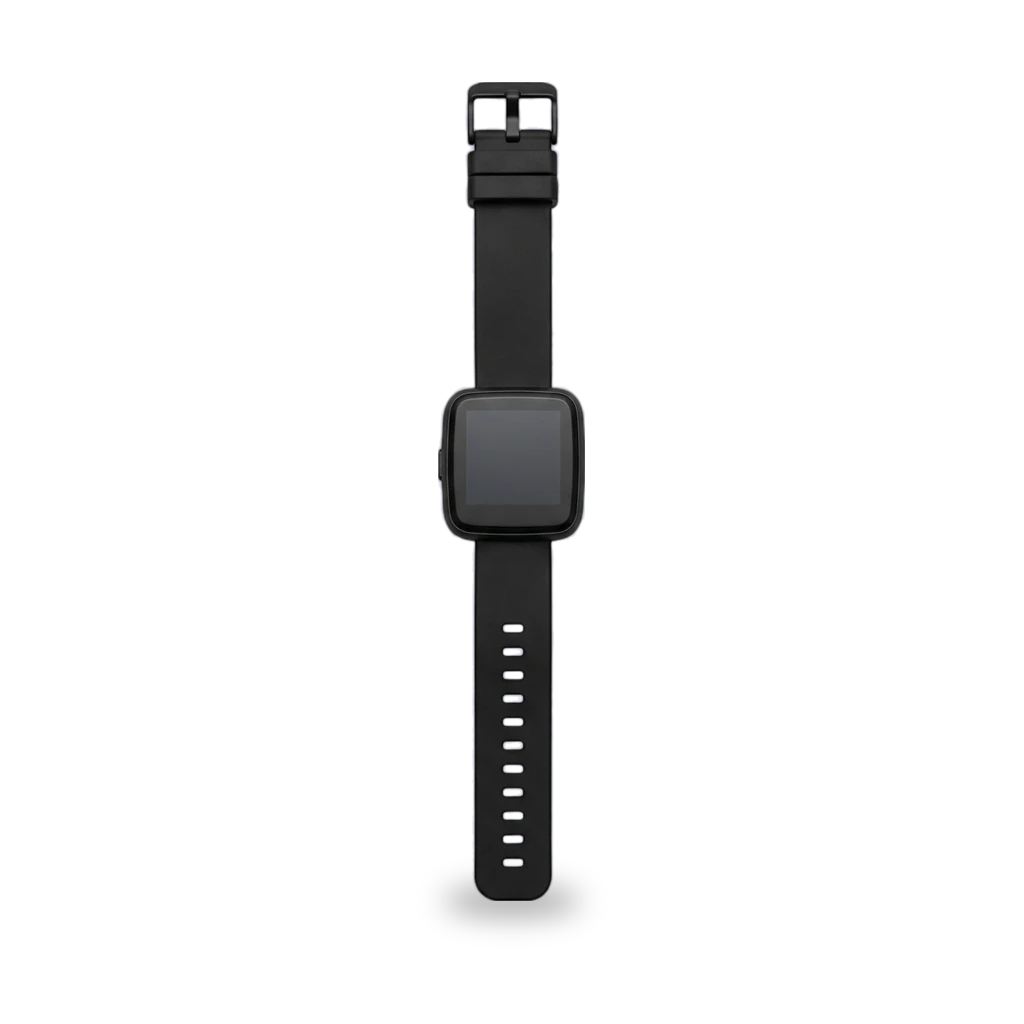
Photo: Unnerving duck, CC0 · AI-edited (studio background)

PINE64 · WATCH · 2020
PineTime
Also called: Pine64 PineTime · InfiniTime
Open smartwatch from Pine64 with InfiniTime as the default firmware, BLE OTA updates, and Gadgetbridge pairing. Common work is updating InfiniTime, installing wasp-os, SWD reflash on the open/dev kit, and carefully opening sealed units. Standard 20 mm straps.[2][1][8][7]
Which one do I have?
| Model | Variant | Year | How to tell |
|---|---|---|---|
| PineTime | Sealed (production) | — | Factory-sealed production watch. Flashing unknown firmware can brick it relatively permanently. Sold as a 3-pack historically.[3] |
| PineTime | Open / DevKit | — | Unsealed development unit with accessible SWD pads. Wrong firmware can brick it until opened, which will likely damage the device. Accelerometer: BMA421 before July 2021, BMA425 after.[3][1] |
Specs
Mods (8)
⚠ Mod at your own risk. We collect what others have published; we have not tested these mods. Read the safety notes
Update InfiniTimeWorks
- ⚠ Can brick A mistake can leave the device unable to start.
- ⚠ Data loss Can erase what is on the device. Back up first.
Flash newer InfiniTime over BLE with Gadgetbridge or another companion app. Validate after reboot or the watch reverts. Old bootloader upgrade order matters.[5][6][4][8][1]
Good to know
- InfiniTime is the default open-source firmware (C++ / FreeRTOS, GPL-3.0).[1][8]
- Flash the mcuboot DFU zip from GitHub releases with a companion app, then validate. Unvalidated firmware reverts after a reset.[5][6]
- Watches shipped after June 2021 include the latest bootloader and recovery. Pre-July 2021 units with InfiniTime 0.7.1 need the bootloader step; do not follow that upgrade page on 1.0.1+ bootloaders or you downgrade and brick.[5][4]
- Since InfiniTime 1.11, apps and watch faces can store resources on the 4 MB external flash via a separate resources zip.[5]
- NRFConnect no longer works with recent InfiniTime; last known good is 4.24.3.[8]
⚠ Watch out
- During risky updates, keep charge near 50%. A freeze with the display off can mean a 5–7 day wait for the battery to drain.[4]
Guides:Updating InfiniTime softwareOTA with GadgetbridgeUpgrade PineTime to InfiniTime 1.0.0
Pair with GadgetbridgeWorks
Android companion without a vendor app. Supports steps (InfiniTime 1.7+), calls, music, battery, find device, and OTA installs. InfiniTime has no sleep tracking.[7][6]
Good to know
- Initial pair can be done in Gadgetbridge without a proprietary vendor app.[7]
- Supported features include steps since InfiniTime 1.7, call accept/reject, music, battery level, find device, and transliteration. Gadgetbridge has no information on which features fully work.[7]
- InfiniTime currently does not support sleep tracking.[7]
wasp-os (MicroPython)Works
- ⚠ Can brick A mistake can leave the device unable to start.
- ⚠ Data loss Can erase what is on the device. Back up first.
Alternative MicroPython firmware. Install over the air from the stock OS with no tools or disassembly. Sealed units should use the previous official bootloader release, not CI builds.[11][3]
Good to know
- PineTime is an nRF52832 watch with 240×240 touch, step counter, and heart rate sensor.[11]
- wasp-os installs via OTA; Gadgetbridge can install both the wasp-bootloader and the main OS image.[11]
- Early developer units with proprietary test firmware show as Y7S and need DaFlasher instead.[11]
⚠ Watch out
Guides:wasp-os Installation Guide
SWD reflash (ST-Link / OpenOCD)Works
- ⚠ Can brick A mistake can leave the device unable to start.
- ⚠ Soldering Needs a soldering iron. Heat can lift pads and burn skin.
Recover or reprogram via SWD pogo pads on the open/dev kit. Prefer pogo pins; soldering has killed units. Do not enable UICR APPROTECT.[9][10]
Special tools: ST-Link V2, OpenOCD, pogo-pin connector
Good to know
- OpenOCD with ST-Link V2 can flash the nRF52 bootloader, app, and graphics. Build OpenOCD from source; distro packages are often outdated.[9]
- Soldering wires to the PineTime is not recommended; the wiki counted 6 dead units from attempted soldering.[10]
- With the battery connected, use only GND, SWDIO, and SWDCLK to avoid backfeeding the programmer’s 3.3 V pin.[10]
⚠ Watch out
Open a sealed PineTimeExperimental
- ⚠ Permanent change Cuts, drills or glues the device. You cannot undo it.
Community heat-and-pry method to open a factory-sealed unit for hardware access. Destroys water resistance and voids the warranty.[12]
Special tools: heat gun or hair dryer, flat screwdriver
Good to know
20 mm watch strapWorks
Traditional Chinese InfiniTime forkExperimental
- ⚠ Can brick A mistake can leave the device unable to start.
- ⚠ Data loss Can erase what is on the device. Back up first.
Third-party InfiniTime fork adding ~2500 Traditional Chinese characters. Removes weather, navigation, motion, a game, and some watch faces for space.[14]
Good to know
PineTimeSD (OpenSeizureDetector)Experimental
- ⚠ Can brick A mistake can leave the device unable to start.
- ⚠ Data loss Can erase what is on the device. Back up first.
InfiniTime fork that streams sensor data over BLE as an OpenSeizureDetector data source. Flash the DFU zip with Gadgetbridge or Siglo.[15]
Good to know
Sources (15)
- wiki PineTime - PINE64 Wiki · 2026-11-16
- official PineTime - PINE64 · 2026-11-16
- wiki PineTime FAQ - PINE64 · 2026-11-16
- wiki Upgrade PineTime to InfiniTime 1.0.0 · 2026-11-16
- official Updating InfiniTime software · 2026-11-16
- official OTA with Gadgetbridge · 2026-11-16
- official Pine64 - Gadgetbridge · 2026-11-16
- official InfiniTime (GitHub) · 2026-11-16
- official InfiniTime OpenOCD guide · 2026-11-16
- wiki PineTime Devkit Wiring · 2026-11-16
- docs wasp-os Installation Guide · 2026-11-16
- forum How To Open a Sealed PineTime · 2026-11-16
- official Watch band — PineTime — PINE64 · 2026-11-16
- blog Boteium/InfiniTime (Traditional Chinese fork) · 2026-11-16
- official OpenSeizureDetector/PineTimeSD · 2026-11-16