Home › Devices › Samsung › Samsung Galaxy S III
 NEW!
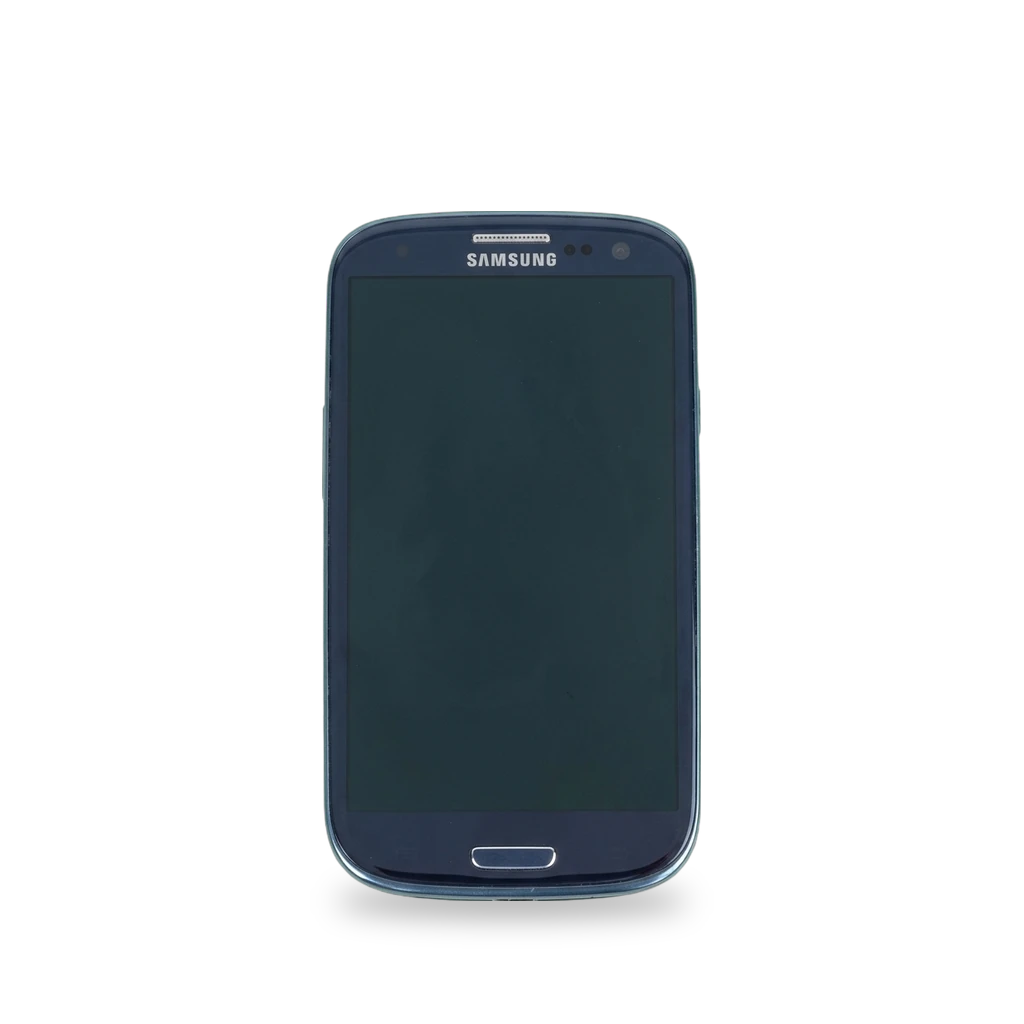
Photo: Raimond Spekking, CC BY-SA 4.0 · AI-edited (studio background)
-9385.jpg)
SAMSUNG · PHONE · 2012
Samsung Galaxy S III
Also called: Galaxy S III · Galaxy S3 · GT-I9300 · i9300
The international Galaxy S III (GT-I9300) can take a custom recovery and LineageOS. Official LineageOS stopped at Android 7.1. An unofficial Android 12 (LineageOS 19) port exists. The back cover comes off for the battery and microSD card.[1][2][3][5][8]
Which one do I have?
| Model | Variant | Year | How to tell |
|---|---|---|---|
| GT-I9300 | International (Exynos) | 2012 | International Exynos model. LineageOS codename i9300; TWRP lists it under codename m0.[2][4] |
| GT-I9300T | Included in the LineageOS i9300 install guide | — | Named next to GT-I9300 on the LineageOS i9300 install page.[1] |
| GT-I9305 | International Exynos, TWRP codename m0 | — | Listed with GT-I9300 on the international Exynos TWRP page (codename m0).[4] |
| I747 | AT&T | — | iFixit lists this as the AT&T Galaxy S III. Official LineageOS i9300 and international Exynos TWRP docs target the GT-I9300 family.[6] |
| S960L | Sprint | — | iFixit lists this as the Sprint Galaxy S III. Official LineageOS i9300 and international Exynos TWRP docs target the GT-I9300 family.[6] |
| T999 | T-Mobile | — | iFixit lists this as the T-Mobile Galaxy S III. Official LineageOS i9300 and international Exynos TWRP docs target the GT-I9300 family.[6] |
| I535 | Verizon | — | iFixit lists this as the Verizon Galaxy S III. Official LineageOS i9300 and international Exynos TWRP docs target the GT-I9300 family.[6] |
| R530 | MetroPCS / US Cellular | — | iFixit lists this as the MetroPCS / US Cellular Galaxy S III. Official LineageOS i9300 and international Exynos TWRP docs target the GT-I9300 family.[6] |
Specs
Mods (5)
⚠ Mod at your own risk. We collect what others have published; we have not tested these mods. Read the safety notes
TWRP custom recoveryWorks
- ⚠ Can brick A mistake can leave the device unable to start.
- ⚠ Data loss Can erase what is on the device. Back up first.
Flash Team Win Recovery from Download mode with Odin. No root needed. Boot into TWRP right after flashing, or the stock system may put the Samsung recovery back.[4][1]
Good to know
- The international Exynos TWRP build uses codename m0 and covers GT-I9300 and GT-I9305. Maintainer is html6405.[4]
- Odin flashes the TWRP .tar file in Download mode. The phone does not need to be rooted first.[4]
- The LineageOS install guide also flashes the recovery from Download mode with samloader-rs, for GT-I9300 and GT-I9300T, without root.[1]
- After TWRP has booted once, it patches the stock system so Samsung's software does not restore the stock recovery.[4]
⚠ Watch out
- TWRP warns that many devices replace a custom recovery on the first normal boot after flashing. Boot straight into TWRP with the recovery key combo to avoid repeating the install.[4]
Guides:Samsung Galaxy S III (International Exynos) - TeamWin TWRPInstall LineageOS on i9300 - LineageOS Wiki
LineageOS (official builds)Discontinued
- ⚠ Can brick A mistake can leave the device unable to start.
- ⚠ Data loss Can erase what is on the device. Back up first.
Official LineageOS for the GT-I9300 reached version 14.1 (Android 7.1) and is no longer built. The install guide covers GT-I9300 and GT-I9300T.[1][2]
Good to know
- Official LineageOS for codename i9300 reached 14.1, based on Android 7.1, on Linux kernel 3.0. LineageOS lists 14.1 under previously supported versions.[2]
- The install guide is for GT-I9300 and GT-I9300T. Recovery is flashed in Download mode. The phone needs USB debugging on, and Google accounts removed, before the wipe.[1]
⚠ Watch out
- Remove stock Google accounts before wiping. The install guide requires that, and USB debugging enabled.[1]
Unofficial LineageOS 19 (Android 12)Experimental
- ⚠ Can brick A mistake can leave the device unable to start.
- ⚠ Data loss Can erase what is on the device. Back up first.
An unofficial LineageOS 19.0 port brings Android 12 to the GT-I9300. This is not an official LineageOS build.[3][2][8]
Good to know
- An unofficial LineageOS 19.0 port based on Android 12 was made for the Exynos 4412 GT-I9300. The early release had working cellular, camera, Wi-Fi, Bluetooth, and video playback acceleration.[3]
- That Android 12 port's early release had a broken SIM PIN unlock, broken adoptable storage when formatting a microSD card, and NFC that did not work.[3]
- A news report says the GT-I9300 has also run mainline Linux kernels and Sailfish OS.[3]
- The GT-I9300 has 1 GB of RAM.[2]
- Wikipedia lists unofficial LineageOS builds for the GT-I9300 up to Android 14 (LineageOS 21).[8]
Guides:No guide found yet.
Replace the batteryWorks
- ⚠ Lithium battery Uses or touches a lithium cell. A damaged cell can catch fire.
The plastic back cover comes off. The 2100 mAh battery lifts out. The microSD slot is under the same cover.[5][2]
Parts
Good to know
Replace internal modulesWorks
Past the back cover, the chassis opens with a Phillips #0 screwdriver and plastic spudgers. The headphone jack, speaker, and cameras are separate modules.[5][6]
Special tools: Phillips #0 screwdriver, plastic spudgers
Good to know
- iFixit scores the Galaxy S III 8 out of 10 for repairability, citing the user-removable battery and a modular inside.[6]
- Opening the internal chassis uses Phillips #0 screws and plastic spudgers. The headphone jack, speaker assembly, and camera modules are separate parts.[5]
Guides:Samsung Galaxy S III Teardown - iFixitSamsung Galaxy S III Repair Help - iFixit
Buttons & modes
Sources (8)
- docs Install LineageOS on i9300 - LineageOS Wiki · 2026-11-16
- docs Info about i9300 - LineageOS Wiki · 2026-11-16
- news A developer got Android 12 booting on the legendary Samsung Galaxy S III - XDA Developers · 2026-11-16
- docs Samsung Galaxy S III (International Exynos) - TeamWin TWRP · 2026-11-16
- wiki Samsung Galaxy S III Teardown - iFixit · 2026-11-16
- wiki Samsung Galaxy S III Repair Help - iFixit · 2026-11-16
- wiki Samsung I9300 Galaxy S III - Full phone specifications · 2026-11-16
- wiki Samsung Galaxy S III - Wikipedia · 2026-11-16