Home › Devices › Nintendo › Game Boy Color
 NEW!
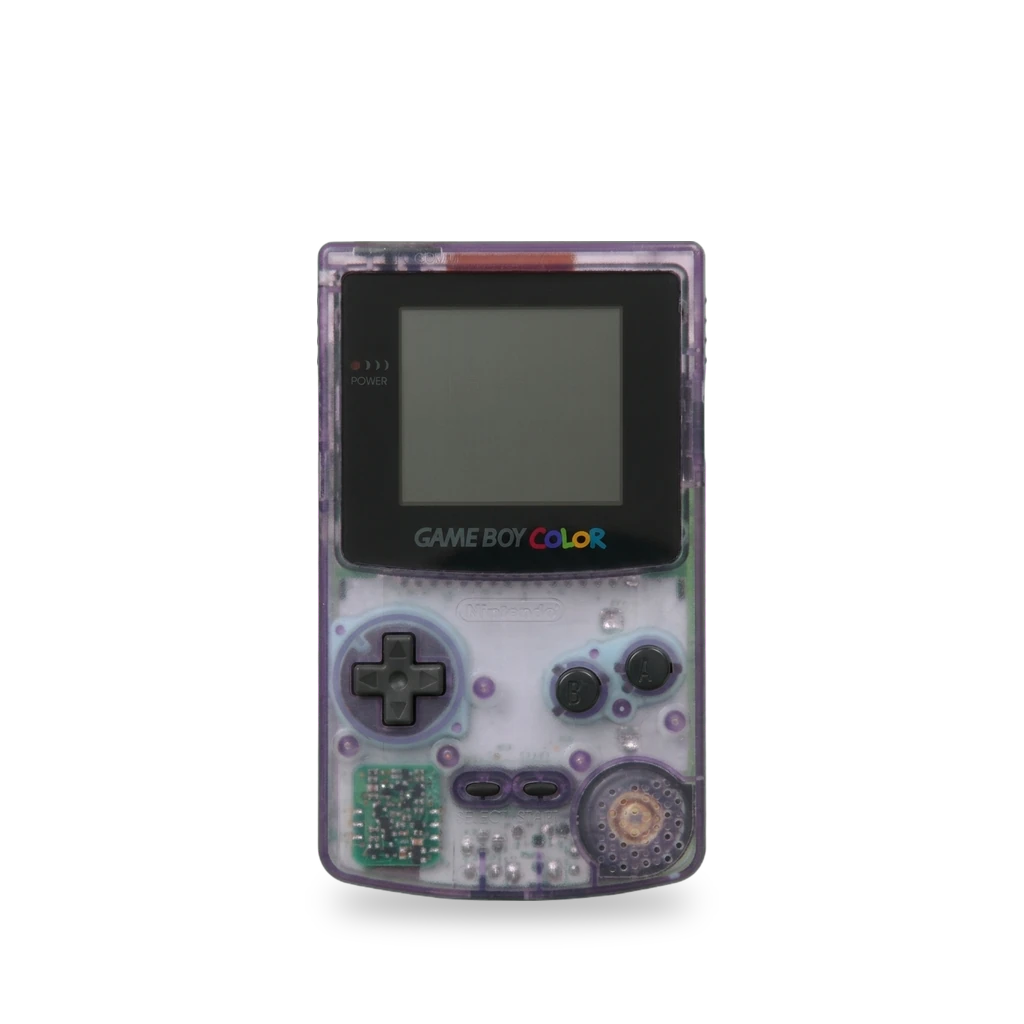
Photo: Evan-Amos, Public domain · AI-edited (studio background)

NINTENDO · HANDHELD CONSOLE · 1998
Game Boy Color
Also called: GBC · CGB-001 · Game Boy Colour
Color follow-up to the Game Boy and Game Boy Pocket, released in 1998. It has a 160×144 screen and a Z80 that runs at 4 MHz or 8 MHz. Common mods fit an OLED or a larger IPS screen, USB-C charging, or a MIDI link on the link port.[1][2][7][4][8]
Which one do I have?
| Model | Variant | Year | How to tell |
|---|---|---|---|
| CGB-001 | Game Boy Color | — | The color follow-up to the Game Boy and Game Boy Pocket. Launch colors were Berry, Grape, Kiwi, Dandelion, Teal, and Atomic Purple.[1] unverified |
Mods (8)
⚠ Mod at your own risk. We collect what others have published; we have not tested these mods. Read the safety notes
AMOLED screenWorks
- ⚠ Soldering Needs a soldering iron. Heat can lift pads and burn skin.
An AMOLED kit with a larger laminated screen, a touch control, and an on-screen menu. One build log soldered a single wire.[2][3]
Parts
- Hispeedido GBC AMOLED kit Fits — Integer-scaled AMOLED, about 25% larger than the original screen, with a touch sensor and a laminated screen.[2] Buy: hispeedido.com
Good to know
- The panel uses integer scaling, 16 new pixels for each original pixel, and the maker says the picture is not distorted. The display area is about 25% larger than the original screen.[2]
- The kit has a touch sensor, a laminated screen, an on-screen menu, four pixel effects, 32 logo colors, and frame blending that can be turned off.[2]
- One 2025 build log fitted the screen by soldering a single wire from the kit manual, and calls that install very easy.[3]
⚠ Watch out
- Solder one wire, as the kit manual describes.[3]
USB-C chargingWorks
- ⚠ Lithium battery Uses or touches a lithium cell. A damaged cell can catch fire.
A board that charges a lithium-ion cell over USB-C, in place of AA batteries. The basic fit is one board and no wires.[4][3]
Parts
- giltesa USB-C charging kit Fits — Basic kit is one board and no wires. An optional second board uses three wires so the front LED stays in its original place.[4] Buy: tindie.com
Good to know
- The board uses a TP4056 charger and a DW01A protection chip, and runs the console from a lithium-ion cell instead of AA batteries.[4]
- One 2025 build also fitted a USB-C rechargeable battery while installing an OLED screen.[3] unverified
⚠ Watch out
- The optional second board is soldered with three wires. The basic board is not.[4]
Guides:No guide found yet.
Battery bracket for an aluminum shellWorks
- ⚠ Lithium battery Uses or touches a lithium cell. A damaged cell can catch fire.
A 3D-printed bracket for Boxy Pixel's aluminum Game Boy Color shells. It holds a 3.7 V lithium-ion cell and a 5 V USB charge board.[5]
Parts
- Boxy Pixel USB battery housing Fits with conditions — Only for Boxy Pixel machined aluminum shells. It holds a micro-USB or USB-C 5 V charge board under a 3.7 V lithium-ion cell, and screws in with two machine screws.[5] Buy: boxypixel.com
Guides:No guide found yet.
MIDI linkWorks
An Arduino on the link port gives serial MIDI for tracker software. It can take power from the link port.[8]
Good to know
- ArduinoBoy was tested on the Game Boy Color, the original Game Boy, and the Game Boy Advance and Advance SP.[8]
- It connects to the link port for serial MIDI, including for LSDJ and nanoloop, and it can be powered from the link port. In mGB mode it takes MIDI in across all Game Boy channels.[8]
Guides:No guide found yet.
RGB button lightsExperimental
An internal board that lights the buttons in custom colors. Hold Select and press Left or Right to change color and brightness.[9]
Parts
- GBC RGB LED 2.0 Fits — Version 2 of the NiceMitch button-light board, published by Hand Held Legend.[9]
Good to know
- Typical draw is 18–25 mA. Full-brightness white was measured at 50 mA.[9]
- Hold Select and press Left or Right to move through color modes and brightness.[9]
- The controller is an ATtiny85. The project sets efuse 0xFF, hfuse 0xDF, and lfuse 0xE2 when flashing it.[9]
Guides:No guide found yet.
Larger IPS screenWorks
- ⚠ Permanent change Cuts, drills or glues the device. You cannot undo it.
A Q5 IPS kit with a bigger picture than the original glass. The original shell has to be trimmed, or you use an aftermarket shell made for it.[6][7]
Parts
- FunnyPlaying GBC Retro Pixel IPS kit Fits with conditions — Maker's kit for this model. A larger Q5 panel needs a trimmed shell or an aftermarket shell made for it.[6][7] Buy: funnyplaying.com
Good to know
- The FunnyPlaying kit draws about 0.29 W to 0.68 W depending on brightness, peaks around 230 cd/m², and includes pixel-grid modes. The maker describes IPS panels as having the best color and viewing angles.[6] unverified
- A 2021 post says the Q5 screen is the largest ever released for the Game Boy Color, but needs a lot of case cutting.[7]
⚠ Watch out
- Trim the original shell for the larger window, or fit an aftermarket shell made for this screen.[7]
Guides:No guide found yet.
Wi-Fi printer linkExperimental
One build log links the console to an ESP8266 that emulates the Game Boy Printer over Wi-Fi, and copies Game Boy Camera pictures that way.[3]
Good to know
- The 2025 build connects the Game Boy Color to an ESP8266 running wifi-gbp-emulator and uses it to copy Game Boy Camera images over Wi-Fi.[3] unverified
Guides:No guide found yet.
Color hardware in a Pocket shellExperimental
- ⚠ Soldering Needs a soldering iron. Heat can lift pads and burn skin.
An open board that puts Game Boy Color hardware in an original Game Boy Pocket shell. You need a donor Color CPU and the other parts for the new board.[10]
Parts
- Donor Game Boy Color CPU Fits with conditions — The new board needs a CPU and parts from a Game Boy Color, and it is built into a Game Boy Pocket shell.[10]
Good to know
- The project uses the original Pocket shell and controls, with Game Boy Color hardware on a new board. Assembly calls for drag soldering and hot-air reflow, including a donor Color CPU.[10]
⚠ Watch out
- A lithium-ion cell is optional. The project treats that path as the builder's own risk and recommends two AAA cells.[10]
Guides:No guide found yet.
Sources (10)
- wiki Game Boy Color Repair Help: Learn How to Fix It Yourself. · 2026-11-14
- shop Retro Game Accessories, Console Spares & Mod Kits – Hispeedido · 2026-11-14
- blog Game Boy Color modding and experiments - xythobuz.de · 2026-11-14
- shop USB-C Charging Kit for Game Boy Color from The giltesa's shop on Tindie · 2026-11-14
- shop Game Boy Color Micro USB/Type C rechargeable 3D Printed Housing · 2026-11-14
- shop GBC RETRO PIXEL IPS LCD KIT – FunnyPlaying · 2026-11-15
- blog “XL” IPS Screen for Game Boy Color – RetroRGB · 2026-11-15
- docs GitHub - trash80/Arduinoboy: Official ArduinoBoy Repository for serial MIDI communication to the Nintendo Gameboy. · GitHub · 2026-11-15
- docs GitHub - HandHeldLegend/gbc-rgb-led-2.0: Version 2 of the Gameboy Color RGB LED mod by NiceMitch · GitHub · 2026-11-15
- docs GitHub - MouseBiteLabs/Game-Boy-Pocket-Color: A Game Boy Pocket outfitted with Game Boy Color support and other modern features · GitHub · 2026-11-15