Home › Devices › Apple › iPod nano 4th gen
 NEW!
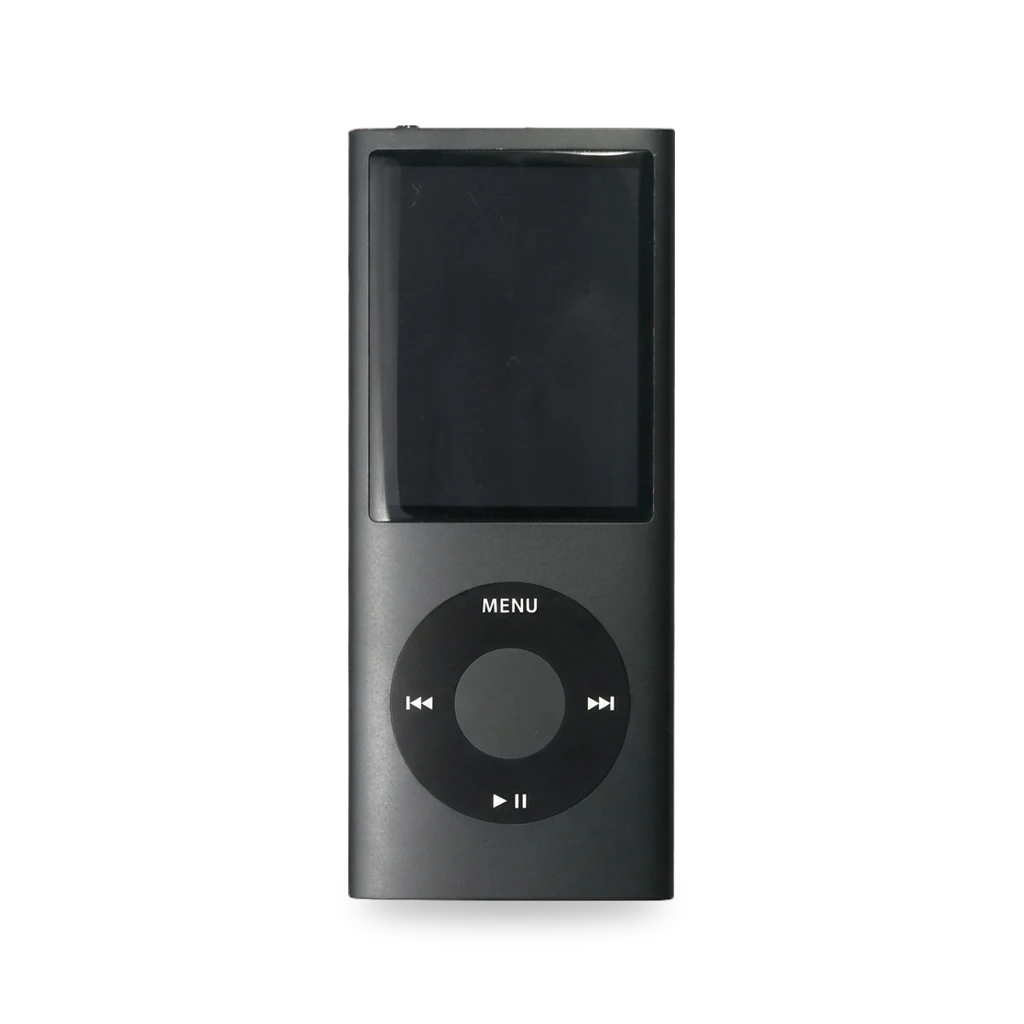
Photo: J4ckzor, Public domain · AI-edited (studio background)

APPLE · MUSIC PLAYER · 2008-2009
iPod nano 4th gen
Also called: iPod nano 4G · nano4g · A1285 · EMC 2287
Tall aluminum nano with 8 or 16 GB of flash on the logic board and a soldered battery. Common repairs are battery, glass, display and outer case. No storage adapter is listed for it. Rockbox lists an unstable Nano 4G port; freemyipod's wInd3x gives temporary Linux-only DFU homebrew without a Rockbox install yet.[1][4][9][14][12][15]
Which one do I have?
Specs
| Screen | 2-inch, 320×240, 204 ppi, blue-white LED backlight[1] |
| Storage | 8 GB or 16 GB flash chip on the logic board (no adapter route)[1][9][15] |
| Battery | Built-in rechargeable lithium ion; Apple rates up to 24 hours music. Aftermarket listing: 230 mAh[1][5] |
| Ports | Dock connector and 3.5 mm headphone jack; USB sync/charge only (no FireWire)[1][2][10] |
Mods (7)
⚠ Mod at your own risk. We collect what others have published; we have not tested these mods. Read the safety notes
Replace the batteryWorks
- ⚠ Lithium battery Uses or touches a lithium cell. A damaged cell can catch fire.
- ⚠ Soldering Needs a soldering iron. Heat can lift pads and burn skin.
Full teardown to the logic board, then desolder the battery ribbon pads and solder a new cell.[4][9][5][3][11]
Special tools: Fine-tip soldering iron
Parts
- iPod nano 4th gen battery (A1285, 230 mAh listing) Fits — Listed for model A1285.[5] Buy: ifixit.com
Good to know
- iFixit rates the guide Very difficult, 2–3 hours, for experienced solderers only.[4]
- The battery attaches by solder pads on its ribbon cable; the teardown also says it is soldered to the logic board.[4][9]
- EveryMac says nano battery swaps need soldering on every generation and recommends a professional; Apple no longer offers paid nano battery service.[3]
⚠ Watch out
Guides:iPod Nano 4th Generation Battery Replacement - iFixit
Replace the curved glass panelWorks
Swap the front glass cover over the display after a crack or spill.[7]
Good to know
- iFixit rates the glass panel guide Difficult. Clean the display face and the inside of the glass before reassembly.[7]
Guides:iPod Nano 4th Generation Glass Panel Replacement - iFixit
Replace the color displayWorks
Remove the top bezel and hold-switch parts, then slide out and disconnect the display.[6][5]
Parts
- iPod nano 4th gen color display Fits — Listed for fourth-generation nano.[5] Buy: ifixit.com
Good to know
- iFixit rates the display guide Difficult and marks it as a prerequisite-only guide.[6]
⚠ Watch out
- The hold switch cable can snap if you force the display retainer. The two angled retainer screws have tiny heads that strip easily.[6]
Guides:iPod Nano 4th Generation Display Replacement - iFixit
Replace the outer caseWorks
Swap a worn anodized aluminum outer case, including click wheel and dock bezel work.[8]
Good to know
- iFixit rates the outer-case guide Difficult, about 1 hour, for a worn anodized aluminum case.[8]
⚠ Watch out
- The dock bezel is thin cast aluminum — do not flex it. Pressing the click wheel off its adhesive the wrong way breaks the flat cable.[8]
Guides:iPod Nano 4th Generation Outer Case Replacement - iFixit
Temporary DFU homebrew (wInd3x)Experimental
freemyipod bootrom exploit for temporary DFU mode on Classic and Nano 3/4/5G. Does not permanently change the device. Linux host only for the 4G exploit.[12][13]
Good to know
- wInd3x is a bootrom exploit for iPod Classic and Nano 3/4/5G; the 4th gen nano is listed as supported for homebrew DFU mode.[12]
- The exploit does not modify the device permanently.[12]
- The 4G exploit works only on Linux.[12]
- The project README says no Rockbox port is available for the supported platforms yet.[12]
Guides:GitHub - freemyipod/wInd3x
Rockbox custom firmwareExperimental
- ⚠ Can brick A mistake can leave the device unable to start.
Rockbox lists the iPod Nano 4G as an unstable development target. freemyipod's wInd3x README still says no Rockbox port is available yet.[14][12][13]
Good to know
- Rockbox's target status lists iPod Nano 3G/4G among unstable development targets.[14]
- wInd3x README: no Rockbox port is available for its supported platforms yet.[12]
- A 2009 note described custom code on a 4th gen nano that was not Rockbox yet.[13]
Guides:No guide found yet.
Flash storage upgradeNot possible
Sources (15)
- official iPod nano (4th generation) - Technical Specifications - Apple Support · 2026-11-17
- docs iPod nano 4th Gen Specs (A1285) - EveryiPod.com · 2026-11-17
- docs How do I replace the battery in the iPod nano models? - EveryiPod.com · 2026-11-17
- docs iPod Nano 4th Generation Battery Replacement - iFixit · 2026-11-17
- shop iPod Nano 4th Gen Parts | iFixit · 2026-11-17
- docs iPod Nano 4th Generation Display Replacement - iFixit · 2026-11-17
- docs iPod Nano 4th Generation Glass Panel Replacement - iFixit · 2026-11-17
- docs iPod Nano 4th Generation Outer Case Replacement - iFixit · 2026-11-17
- docs iPod Nano 4th Generation Teardown - iFixit · 2026-11-17
- wiki iPod Nano - Wikipedia · 2026-11-17
- wiki iPod - Wikipedia · 2026-11-17
- official GitHub - freemyipod/wInd3x · 2026-11-17
- blog Rockbox on iPod Nano 4th gen | daniel.haxx.se · 2026-11-17
- wiki TargetStatus – Rockbox · 2026-11-15
- official iFlash.xyz – Welcome to the home of the iFlash Adapter · 2026-11-15