Home › Devices › Apple › iPod touch 3rd gen
 NEW!
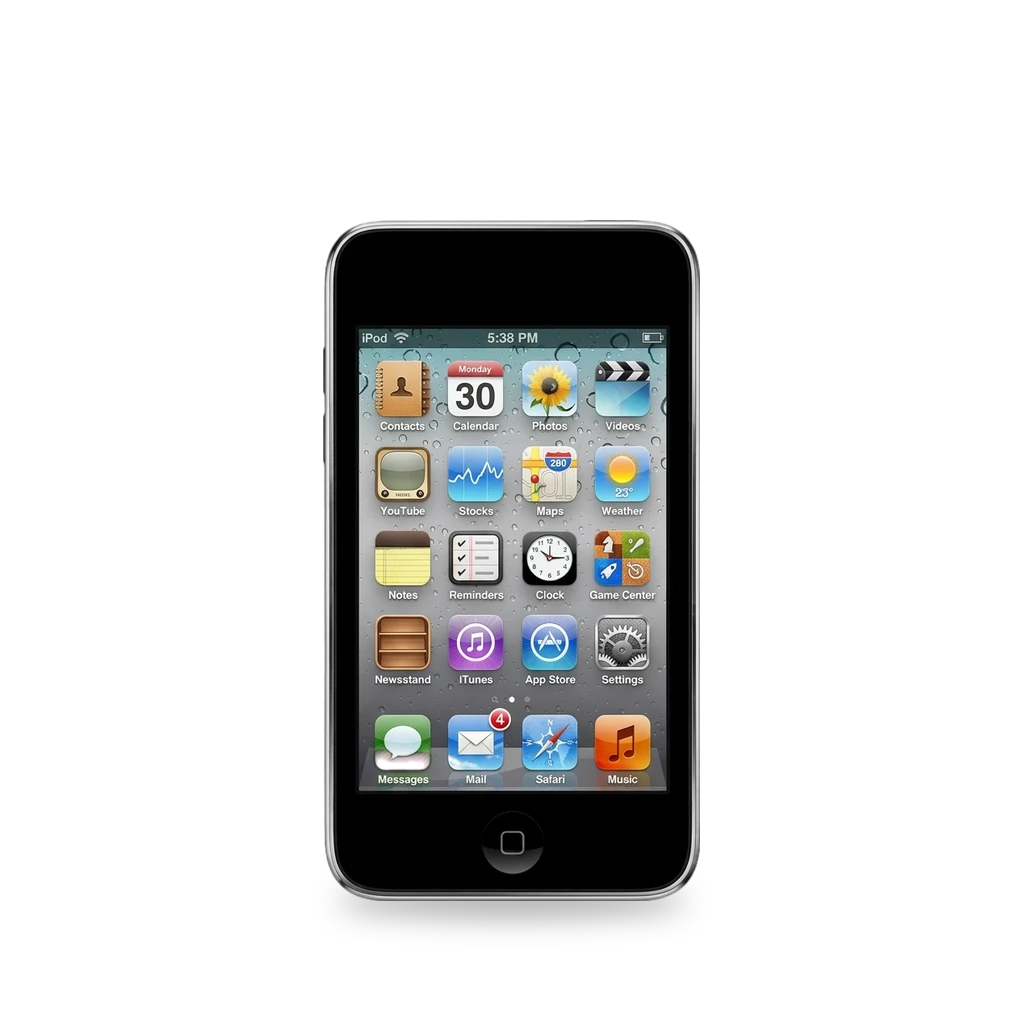
Photo: Ninjamaster1099, CC BY-SA 4.0 · AI-edited (studio background)
.jpg)
APPLE · MUSIC PLAYER · 2009-2010
iPod touch 3rd gen
Also called: iPod touch 3G · A1318 · iPod3,1 · N18AP · MC008LL/A
Late-2009 touch (A1318) with 32 or 64 GB soldered flash. Hardware repairs include a soldered battery, display, front/rear panels and logic board. Jailbreaks cover several iOS versions (redsn0w, limera1n, unthredera1n). The flash is soldered to the board; Rockbox is not on the community supported-iPod list.[1][6][12][5][17]
Which one do I have?
Specs
| Storage | 32 or 64 GB flash (Apple/Wikipedia). EveryMac also mentions an 8 GB unit that differs[1][4][2] |
| Battery | Built-in lithium-ion; Apple rates ~30 h music / 6 h video. Teardown: 2.92 Wh (~789 mAh)[1][5] |
| Radios | Wi-Fi 802.11b/g, Bluetooth 2.1 + EDR (no cellular)[1][2] |
| SoC | S5L8922 (board N18AP, firmware name iPod3,1)[3] |
Mods (7)
⚠ Mod at your own risk. We collect what others have published; we have not tested these mods. Read the safety notes
Replace the batteryWorks
- ⚠ Lithium battery Uses or touches a lithium cell. A damaged cell can catch fire.
- ⚠ Soldering Needs a soldering iron. Heat can lift pads and burn skin.
- ⚠ Data loss Can erase what is on the device. Back up first.
Open the front, then solder a new cell to pads on the logic board.[6][7]
Special tools: Soldering iron
Good to know
- iFixit rates the guide Very difficult, about 1 hour. Needs surface-mount soldering skill; the cell attaches by solder pads.[6]
- Back up with iTunes before starting.[6]
⚠ Watch out
- Installing the battery upside down (cable facing up) destroys the logic board. Tape bare leads to avoid shorts. Excess heat can ruin the board or melt a ribbon.[6]
Guides:iPod Touch 3rd Generation Battery Replacement - iFixit
Replace the displayWorks
Remove the front glass, then swap the LCD in its metal tray.[8]
Good to know
- iFixit rates the display guide Difficult, 10–20 minutes.[8]
⚠ Watch out
- The touch-screen ribbon cable is extremely fragile. Clean the display face and front panel before reassembly.[8]
Guides:iPod Touch 3rd Generation Display Replacement - iFixit
Replace the front panelWorks
Remove the glued glass front panel (frame and home button path) to reach the internals.[9]
Good to know
- iFixit rates the front-panel guide Moderate, 15–30 minutes. Plastic frame is glued at the edge and under black strips, with metal clips.[9]
⚠ Watch out
- Pry the touch-screen cable connector carefully off the upper logic board.[9]
Guides:iPod Touch 3rd Generation Front Panel Replacement - iFixit
Replace the rear panelWorks
After front-panel removal, swap the rear shell.[10]
Good to know
- iFixit rates the rear-panel guide Moderate. Steps 1–8 match the front-panel removal.[10]
Guides:iPod Touch 3rd Generation Rear Panel Replacement - iFixit
Jailbreak (redsn0w / limera1n / unthredera1n)Experimental
- ⚠ Can brick A mistake can leave the device unable to start.
- ⚠ Data loss Can erase what is on the device. Back up first.
- ⚠ Check the law May break a law or rule where you live.
Several era tools jailbreak the 3G across iOS 3.1.2–5.1.1. Some paths are tethered; later untethers exist for 4.3.3 and 4.3.4–5.1.1.[11][12][14][13][15][16][4]
Good to know
- redsn0w on 3.1.2 is a tethered jailbreak: reconnect to a computer after each reboot.[11]
- redsn0w Windows guide covers 4.3.3; DFU uses Home and Power for 10 seconds. A Dev-Team untether for 4.3.3 includes the iPod touch 3G.[12][15]
- limera1n supports iOS 4.0 through 4.1 on the 3G.[14]
- A redsn0w guide covers an untethered jailbreak on iOS 5.0.1. unthredera1n is listed for iOS 4.3.4–4.3.5 and 5.0–5.1.1.[13][16]
- Jailbreaking violates iOS terms, and Apple's warranty does not cover a modified device. A restore usually undoes a jailbreak but can leave the device unusable.[4]
⚠ Watch out
- 2010–2011 tools may not run on current hosts. A user comment said the 3.1.2 redsn0w guide failed on a 32 GB unit.[11]
Guides:How to Jailbreak Your iPod Touch 3G Using RedSn0w (Windows) [3.1.2] - iClarifiedHow to Jailbreak Your iPod Touch 3G Using RedSn0w (Windows) [4.3.3] - iClarifiedHow to Jailbreak Your iPod Touch 3G Using Limera1n (Windows) - iClarifiedHow to Perform an Untethered Jailbreak of Your iPod Touch 3G (Windows) [5.0.1] - iClarified
Flash storage upgradeNot possible
Rockbox custom firmwareNot possible
Sources (17)
- official iPod touch (3rd generation) - Technical Specifications - Apple Support · 2026-11-17
- docs iPod touch 3rd Gen Specs (A1318) - EveryiPod.com · 2026-11-17
- wiki iPod touch (3rd generation) - The Apple Wiki · 2026-11-17
- wiki iPod Touch - Wikipedia · 2026-11-17
- docs iPod Touch 3rd Generation Teardown - iFixit · 2026-11-17
- docs iPod Touch 3rd Generation Battery Replacement - iFixit · 2026-11-17
- blog iPod Touch 3rd Generation, Battery Replacement Experience - iFixit · 2026-11-17
- docs iPod Touch 3rd Generation Display Replacement - iFixit · 2026-11-17
- docs iPod Touch 3rd Generation Front Panel Replacement - iFixit · 2026-11-17
- docs iPod Touch 3rd Generation Rear Panel Replacement - iFixit · 2026-11-17
- docs How to Jailbreak Your iPod Touch 3G Using RedSn0w (Windows) [3.1.2] - iClarified · 2026-11-17
- docs How to Jailbreak Your iPod Touch 3G Using RedSn0w (Windows) [4.3.3] - iClarified · 2026-11-17
- docs How to Perform an Untethered Jailbreak of Your iPod Touch 3G (Windows) [5.0.1] - iClarified · 2026-11-17
- docs How to Jailbreak Your iPod Touch 3G Using Limera1n (Windows) - iClarified · 2026-11-17
- news iPhone Dev-Team Releases Untethered Jailbreak for iOS 4.3.3 - iClarified · 2026-11-17
- wiki unthredera1n - The Apple Wiki · 2026-11-17
- wiki Rockbox - iPodWiki · 2026-11-17