Home › Devices › Apple › iPod Video (5th and 5.5 generation)
 CUSTOM FW!
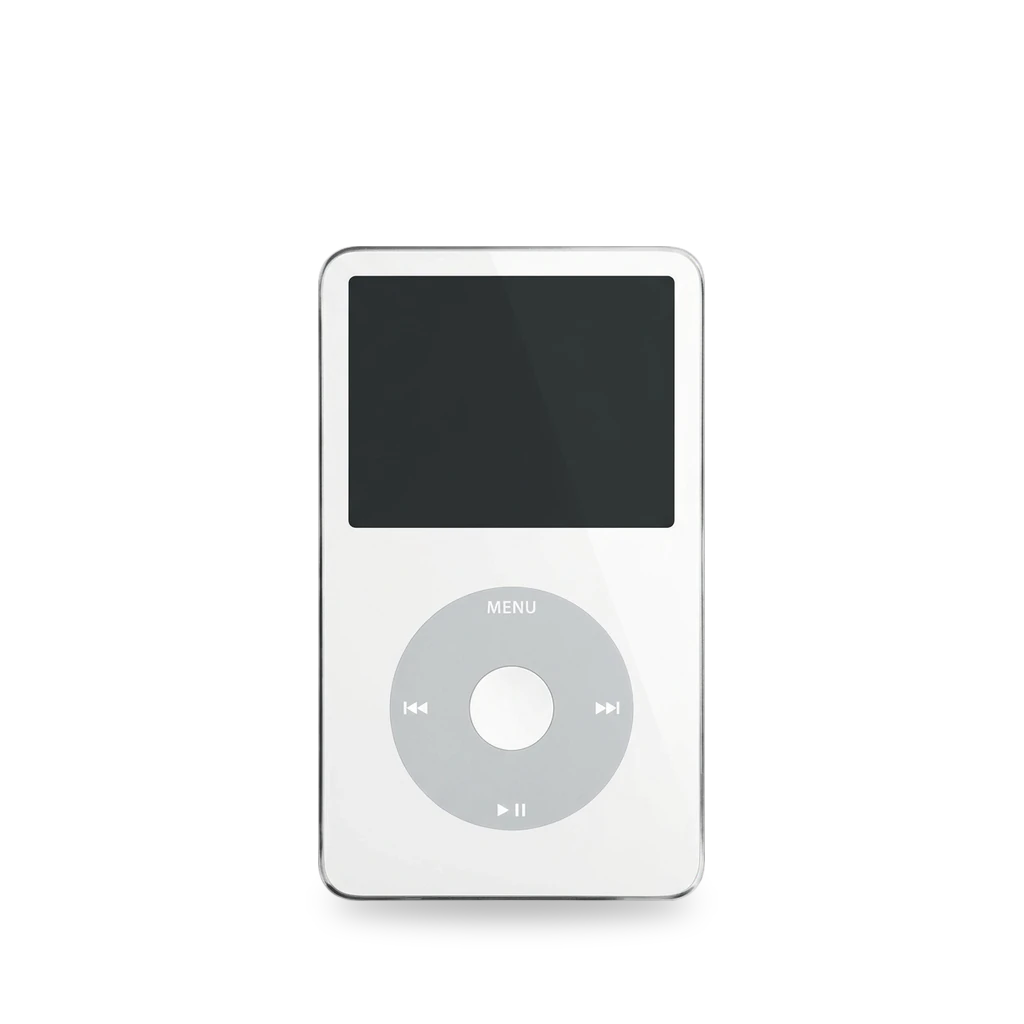
Photo: Evan-Amos, Public domain · AI-edited (studio background)

APPLE · MUSIC PLAYER · 2005-2007
iPod Video (5th and 5.5 generation)
Also called: iPod 5th Generation (Video) · iPod with Video · iPod video · 5th gen Video · 5.5 gen Video · 5g Video · 5.5g Video · iPod Video Enhanced · A1136 · EMC 2065 · iPod U2 5th generation
Hard-drive iPod with a color screen and a click wheel, sold as the iPod with video. The 5th generation (October 2005) came in 30 GB and 60 GB. The Late 2006 revision, often called 5.5 generation, came in 30 GB and 80 GB with a brighter screen. The case is model A1136. Apple's support page lists A1238 for this generation; EveryMac and iFixit say A1238 is the later classic. Common mods swap the drive for flash cards, fit a larger battery, install Rockbox, or add Bluetooth and USB-C.[22][19][20][21][23][12][7][1][15]
Which one do I have?
| Model | Variant | Year | How to tell |
|---|---|---|---|
| A1136 | 5th generation, 30 GB | 2005 | Back reads A1136 (EMC 2065). 30 GB, thin case, 32 MB RAM, black or white front. Introduced 12 October 2005 and discontinued 12 September 2006. Order numbers include MA002, MA146, PA002, and PA146. In March 2008 Apple released firmware 1.3 for 5th generation iPods and called it bug fixes.[19][21][23][25][22][13] |
| A1136 | 5th generation, 60 GB | 2005 | Back reads A1136 (EMC 2065). 60 GB, thick case, 64 MB RAM. Introduced 12 October 2005 and discontinued 12 September 2006. Order numbers include MA003, MA147, PA003, and PA147. The September 2006 revision dropped the 60 GB model. Firmware 1.3 (March 2008) was a bug-fix update for 5th generation iPods.[19][21][23][25][12][22][13] |
| A1136 | 5.5 generation (Late 2006), 30 GB | 2006 | Back reads A1136 (EMC 2065). 30 GB, thin case, 32 MB RAM. Brighter screen than the 2005 model, and search. Introduced 12 September 2006 and discontinued 5 September 2007. Order numbers include MA444, MA446, PA444, PA446, and MA664. Late 2006 serials end in V9K, V9P, V9M, V9R, V9L, V9N, V9Q, V9S, WU9, WUA, WUB, WUC, or X3N. A U2 Late 2006 serial ends in W9G.[20][21][23][25][12][22] |
| A1136 | 5.5 generation (Late 2006), 80 GB | 2006 | Back reads A1136 (EMC 2065). 80 GB, thick case, 64 MB RAM, brighter screen, and search. The 60 GB model was dropped. Introduced 12 September 2006 and discontinued 5 September 2007. Order numbers include MA448, MA450, PA448, and PA450.[20][21][23][25][12][22] |
Mods (8)
⚠ Mod at your own risk. We collect what others have published; we have not tested these mods. Read the safety notes
Rockbox custom firmware (dual boot)Works
Free firmware that sits beside Apple's. The official manual covers this iPod, Rockbox 4.0 has a build for it, and the project lists no major issues.[1][2][3][12][28][25][24][19][20][17]
Good to know
- The Rockbox manual's Video pages are for the 5th and 5.5th generation iPod.[1]
- Rockbox only works on FAT32 iPods (set up with iTunes for Windows). Mac-formatted (HFS+) iPods must be converted first. A converted iPod still works with a Mac.[1]
- The preferred install is Rockbox Utility. The manual path is to unzip the build onto the iPod root (a .rockbox folder), then install the bootloader with ipodpatcher: press i, then Enter.[1]
- The Rockbox bootloader loads from disk and gives dual boot. The iPod's own flash bootloader is left unchanged.[1]
- Installing the bootloader needs administrator rights on Windows, or root on Linux.[1]
- Rockbox's target table lists the iPod Video as "NO MAJOR ISSUES". USB, battery charging, dual boot with the original firmware, and install with Rockbox Utility are all marked yes.[2]
- Rockbox 4.0 includes rockbox-ipodvideo-4.0.zip (8.7 MB), dated 2025-03-31.[3]
- iPodWiki says Rockbox bypasses the song-count limit that the iPod's RAM imposes, and that Rockbox lets the player use the full hardware size, which that page lists as 2.00 TB.[12][28]
- iFlash's chart says stock-firmware track limits come from RAM and the iTunes database, not from the adapter. It lists about 20,000 tracks on 30 GB (32 MB) models, with a typical range of 10,000 to 30,000, and about 50,000 tracks on 60 GB and 80 GB (64 MB) models, with a typical range of 30,000 to 60,000.[25]
- EveryMac lists 32 MB of RAM on 30 GB models and 64 MB on the 60 GB and 80 GB models. iPodWiki's table matches that, but the same page also says the 5.5 generation added 32 MB of RAM.[19][20][12]
- One solved iFixit answer says 5th generation boards are part 820-1763-A (32 MB on 30 GB, 64 MB on 60 GB) and 5.5 generation boards are part 820-1975-A (32 MB on 30 GB, 64 MB on 80 GB). It says the part number alone does not show the RAM size, and that the 64 MB chip is physically larger. The same answer gives a diagnostic: hold Rewind and Select, press Menu, then choose NTF, AutoTest, and SDRAMQuickTest.[24] unverified
⚠ Watch out
- Windows' format tool will not make a FAT32 partition bigger than 32 GiB. Use an iTunes restore on Windows, or GParted Live.[1]
- One person's 2024 install on a 5th gen Video built a bootloader by hand and needed a nightly Rockbox build. Follow the Rockbox manual and Rockbox Utility for the install.[17][1]
Flash storage (replace the hard drive)Works
Swap the hard drive for an iFlash adapter and SD or CompactFlash cards. The Quad and Solo store pages list the 5th generation 30 GB and 60 GB, and the 5.5 generation 30 GB and 80 GB.[7][8][26][10][25][9][1][12][28][14][6][4]
Parts
- iFlash-Quad (4x microSD) Fits — Listed for the 5th gen 30 GB and 60 GB, and the 5.5 gen 30 GB and 80 GB. The board is 2 mm thick. A thick caseback needs two foam pads on the chipset.[7] Buy: iflash.xyz
- iFlash-Solo (1x SD) Fits — Same four models as the Quad. Thinner than the original hard drive. A thick caseback needs two foam pads over the SD connector.[8] Buy: iflash.xyz
- iFlash-Dual (2x SD) Fits — Listed for the 5th gen 30 GB and 60 GB, and the 5.5 gen 30 GB and 80 GB. The board is 5 mm thick, the same as the original hard drive.[26] Buy: iflash.xyz
- iFlash-CF (CompactFlash) Fits with conditions — The compatibility page is a partial list, and many lines are user comments. The maintainer says a 5.5 generation iPod is hard to find a CF card for and suggests a new-old-stock 64 GB card.[10]
Good to know
- iFlash lists the Quad and the Solo for the 5th gen Video 30 GB and 60 GB, and the 5.5 gen Video 30 GB and 80 GB.[7][8]
- The 128 GB limit applies only to the 6th generation classic, because Apple's firmware on those models uses LBA28. 5th and 5.5 generation iPods use LBA48 in stock firmware, so they do not have that limit.[25]
- iPodWiki's capacity page lists a safe flash size without Rockbox of 256 GB on a 30 GB Video (512 GB for lossless) and 400 GB on a 60 GB or 80 GB Video (1 TB for lossless), based on track memory. It lists a hardware limit of 2.00 TB.[28]
- An older iPodWiki page suggests about 128 GB of flash for 30 GB models and about 256 GB for 60 GB and 80 GB models, depending on bitrate. A track-count figure on that page is marked as needing a citation.[12] unverified
- One 2024 build put a 256 GB SD card in an iFlash Solo.[14]
- Bad or counterfeit SD cards are the most common cause of sync failures and a player that shows no music. Test cards with H2testw on Windows or F3 on a Mac.[9]
- In the iPod's diagnostics, check hard drive specs under Manual Tests (IO, Harddrive, HDSpecs). Missing data suggests a loose ribbon.[9]
- Hanging on the Apple logo usually means the library is too large. The fix is to remove tracks in disk mode.[9]
- A report of firmware 1.01 blocking a flash mod on the iFlash troubleshooting page is about a 6th gen Classic.[9]
- Single-SD adapters only partly emulate the drive commands. Power-management commands are missing. CF and SATA adapters implement the full command set.[1]
- Dual and quad SD adapters join the cards like RAID 0: if one card fails, data on all cards may be lost. They also fail LBA48, so capacity above 2 TiB is unusable.[1]
- Transfer speeds do not really improve. With no seek time, the player feels more responsive.[1]
- Rockbox 3.15 and older could corrupt data with many flash mods. Current versions fixed it.[1]
- A smooth whirr from the hard drive is normal. Loud clicking or grinding can mean the drive is failing. A sad iPod icon can mean a bad drive or a drive that is poorly connected.[6]
- Video iPods use their own connector, so only some hard drives work as replacements.[6]
- On the CompactFlash list, a Lexar Professional 400x 128 GB (UDMA7) does not work on 5.5 generation, a new-old-stock Ultimate 300x 128 GB is listed as OK on 5.5 generation, and a Kingston Ultimate 266x 16 GB is listed as not working on 5th and 5.5 generation. Another 64 GB entry reports copy failures on a 5th gen. A Komputerbay UDMA7 1000x 32 GB should be formatted as FAT32 for these iPods. The maintainer suggests a new-old-stock 64 GB card for the 5.5 generation. Many of these lines are user comments.[10] unverified
⚠ Watch out
- Flash adapters are smaller than the drive. Secure them well. Ribbon cables are easy to damage.[1]
- Disconnect the battery ribbon before you separate the case. Reconnect it by sliding it in and pressing the black latch down.[7]
- The display is fragile when you insert the opening tool. Adhesive holds the battery to the rear panel. Keep the headphone and battery ribbon cables clear of it.[4]
- Lift the brown latch on the battery connector only 1 to 2 mm. Lifting it more or removing it can pull the white connector off the board. The connector breaks if it is shifted sideways.[4]
- Restoring the iPod erases everything on it.[6]
- Windows' format tool will not make a FAT32 partition bigger than 32 GiB. Use an iTunes restore on Windows, or GParted Live.[1]
Guides:Rockbox manual (iPod Video) – 2 InstallationTroubleshooting Guide - iFlash
Replace the batteryWorks
- ⚠ Lithium battery Uses or touches a lithium cell. A damaged cell can catch fire.
iFixit rates the battery swap Moderate: about 20 minutes and 11 steps. Two stock-style packs are sold, one for 30 GB and one for 60 GB and 80 GB.[4][5][12][11][9][7][14][19][20]
Parts
- iPod Video 30 GB battery (iFixit 616-0229) Fits — Parts page rates it 580 mAh and says it fits the 30 GB Video. iPodWiki lists 650 mAh for the 30 GB model.[5][12] Buy: ifixit.com
- iPod Video 60/80 GB battery (iFixit 616-0232) Fits — Parts page rates it 850 mAh and says it fits the 60 GB and 80 GB Video. iPodWiki also lists 850 mAh for the 60 GB and gives no figure for the 80 GB.[5][12] Buy: ifixit.com
Good to know
- The iFixit guide is rated Moderate, about 20 minutes, and 11 steps. It uses an iPod opening tool.[4]
- The two iFixit packs are the iPod Video 30 GB Battery (616-0229, 580 mAh) and the iPod Video 60/80 GB Battery (616-0232, 850 mAh).[4][5]
- Sources disagree on the 30 GB pack's capacity. iFixit rates part 616-0229 at 580 mAh. iPodWiki lists 650 mAh. iFlash's chart calls 550 mAh the original battery for thin-back iPods, and that chart covers iPods in general.[5][12][11]
- iFixit rates the 60/80 GB battery, part 616-0232, at 850 mAh. iPodWiki lists 850 mAh for the 60 GB and gives no capacity for the 80 GB.[5][12]
- In one 2024 build the cell that came out was a 3.7 V, 650 mAh pack, and it was already a replacement.[14]
- EveryMac lists a lithium-ion battery and says Apple did not publish an mAh rating. On the 5th generation, rated life is up to 14 hours of music and 2 hours of video for 30 GB, and up to 20 hours of music and 3 hours of video for 60 GB.[19]
- On the 5.5 generation, rated life is up to 14 hours of music and 3.5 hours of video for 30 GB, and up to 20 hours of music and 6.5 hours of video for 80 GB.[20]
- A weak or dead battery can cause reboots or a boot loop.[9]
⚠ Watch out
- Adhesive holds the battery to the rear panel and has to let go. Do not damage the headphone or battery ribbon cables.[4]
- The display is fragile when you insert the opening tool.[4]
- Lift the brown latch on the battery connector only 1 to 2 mm. Lifting it more or removing it can pull the white connector off the board. The connector breaks if it is shifted sideways.[4]
- Disconnect the battery ribbon before you separate the case. Reconnect it by sliding it in and pressing the black latch down.[7]
Guides:iPod 5th Generation (Video) Battery Replacement - iFixit
Bigger batteryExperimental
- ⚠ Lithium battery Uses or touches a lithium cell. A damaged cell can catch fire.
Larger aftermarket cells can use the space a flash mod frees. Fit depends on the stated capacity, how thick the caseback is, and which adapter you use. iFlash's chart says it is not a recommendation, and sellers' capacity ratings vary. The chart covers iPods in general.[11][12][9][18]
Parts
- 1800 mAh battery Fits with conditions — Needs a thick caseback. Will not fit with the original hard drive.[11]
- 1900 mAh battery Fits with conditions — Thin back with the iFlash-Quad only if the frame protrusion is removed. Thick back with other adapters.[11]
- 2000 mAh battery Fits with conditions — Thin back with the iFlash-Quad. With the Solo, some samples are a tight squeeze in a thin back. Thick back with other adapters.[11]
- 3000 mAh battery Fits with conditions — The chart says it is larger than the inner frame, so it always needs a thick caseback.[11]
Good to know
- iPodWiki says custom high-capacity batteries can fit in the space a flash mod frees.[12]
- The iFlash chart covers iPods in general. It says it is not a recommendation, and that capacity ratings vary between sellers.[11]
- The chart says an 1800 mAh cell needs a thick caseback and will not fit beside the original hard drive.[11]
- The chart says a 3000 mAh cell is larger than the inner frame and always needs a thick caseback.[11]
- A weak or dead battery can cause reboots or a boot loop.[9]
⚠ Watch out
- Commenters say a 3000 mAh cell fits a thin back with the iFlash-Quad. The chart says a 3000 mAh cell always needs a thick caseback.[11] unverified
- One 5.5 generation commenter said a 3000 mAh battery stopped a boot loop.[9] unverified
- A 2015 forum thread about an 80 GB Video says a 2000 mAh battery did not fit with an iFlash CF adapter plus a CF-to-SD board. One poster says a 2000 mAh battery barely fits with an mSATA board, and that a big battery fits only if the SD adapter is slimmed or a slimmer adapter is used. A post says the 80 GB thick back uses a double-platter drive and leaves no room for a large battery. The original poster asked whether a 2000 mAh battery works with an SSD in place of the hard drive. The thread has no confirmed answer and no measurements.[18] unverified
Headphone jackWorks
iFixit names a bad audio jack as the most likely cause of sound problems, and sells a thin jack for 30 GB models and a thick jack for 60 GB and 80 GB models. A free guide covers the jack and the Hold switch.[6][4][27]
Good to know
- A bad audio-out jack is named as the most likely cause of audio output problems.[6]
- iFixit sells a thin jack for the 30 GB model and a thick jack for the 60 GB and 80 GB models, and links free guides for them.[6]
- Lock the Hold switch before opening. The case is held by clips: four on each side, one on top, and two on the bottom.[27]
- The battery ribbon releases by sliding the brown connector latch up.[27]
- The headphone jack is held by two black Phillips screws. The Hold switch is held by one black Phillips screw near the corner and one silver Phillips screw on the lower case.[27]
⚠ Watch out
- The display is fragile when you insert the opening tool. Do not damage the headphone or battery ribbon cables.[4]
Guides:iPod 5th Generation (Video) Headphone Jack & Hold Switch Replacement - iFixit Repair Guide
Thick-back hard drive (30 GB to 60 or 80 GB)Works
A 30 GB hard drive sits in a thin case. Moving to a 60 GB or 80 GB hard drive means a thicker back and four other matching parts.[23]
Good to know
- iFixit says a 30 GB hard drive upgrade to a 60 GB or 80 GB hard drive needs a 60/80 GB rear panel, headphone jack, battery, rubber bumpers, and hard drive.[23]
Guides:No guide found yet.
Bluetooth and USB-C (Classic Connect)Experimental
Moonlit Market's Classic Connect 2 is sold as Bluetooth 5.2 and USB-C charging for the 5th and 5.5 generation Video. One review got charging to work and could not get USB-C data sync to work. The reviewer holds back an endorsement.[15][16]
Good to know
- Popular Science says Classic Connect 2 adds Bluetooth 5.2 and USB-C charging to the 5th and 5.5 generation iPod Video. The core install does not require soldering.[15]
- A review says the kit works with the iPod Video, the iPod Video Enhanced, and both Classic models. It does not work with the Shuffle, the Nano, or monochrome-screen iPods. The reviewer says the kit fits 5th to 7th generation models.[16]
- The manufacturer advertises Bluetooth 5.2 for the module. In the review, USB-C charging works.[16]
⚠ Watch out
Guides:No guide found yet.
One-off screen, case, Bluetooth, and USB-C rebuildExperimental
A 2024 Hackaday build on a 5th generation Video replaced the drive, screen, case, and click wheel, and added Bluetooth audio, a rumble motor, and USB-C. The battery that came out was already a replacement. Parts had to be cut to fit. This is one person's project.[14]
Good to know
- The hard drive was replaced with a 256 GB SD card in an iFlash Solo.[14]
- The old battery was a 3.7 V, 650 mAh cell, and it was already a replacement.[14]
- The screen was replaced with a modern LCD. The case and click wheel were replaced with transparent parts.[14]
- A Bluetooth audio transmitter and a rumble motor were added.[14]
- The 30-pin connector was replaced with USB-C. That needed soldering and desoldering.[14]
- Parts had to be cut to fit. The author asks whether a custom circuit board would have been easier.[14]
Guides:No guide found yet.
Buttons & modes
| What | How |
|---|---|
| Hard reset | Hold Menu and Select. The Rockbox manual calls this a hard reset.[1] |
| Disk mode | Hard reset with Menu and Select, then immediately hold Select and Play.[1] |
| RAM diagnostic | Hold Rewind and Select to enter SRV Diag Boot. Press Menu for the manual test, then choose NTF, AutoTest, and SDRAMQuickTest. It shows 32 MB or 64 MB.[24] |
Sources (28)
- docs Rockbox manual (iPod Video) – 2 Installation · 2026-11-13
- official TargetStatus < Main < Wiki (Rockbox) · 2026-11-13
- official Rockbox 4.0 release downloads · 2026-11-13
- wiki iPod 5th Generation (Video) Battery Replacement - iFixit · 2026-11-13
- shop iPod 5th Generation (Video) Batteries - iFixit Parts · 2026-11-13
- wiki iPod 5th Generation (Video) Troubleshooting - iFixit · 2026-11-13
- shop iFlash-Quad (Quad MicroSD Adapter) - iFlash store · 2026-11-13
- shop iFlash-Solo - iFlash store · 2026-11-13
- docs Troubleshooting Guide - iFlash · 2026-11-13
- docs iFlash Compact Flash Compatibility - iFlash · 2026-11-13
- docs 3rd party extended Battery guide - iFlash · 2026-11-13
- wiki iPod video - iPodWiki · 2026-11-13
- news 5th Generation iPod Firmware 1.3 Update - MacRumors · 2026-11-13
- blog Modernizing an Apple iPod, or: A Modern-Day Ship of Theseus - Hackaday · 2026-11-13
- news Apple sealed the iPod shut, and hackers have been prying it open ever since - Popular Science · 2026-11-13
- blog Review: Classic Connect Kit from Moonlit.Market - Hack Informer · 2026-11-13
- docs robrohan/ipodpatcher - GitHub README · 2026-11-13
- forum 2000mAh battery for 80GB iPod Video - MacRumors forums · 2026-11-13
- wiki iPod 5th Gen (with Video) 30 GB, 60 GB Specs (iPod with Video, A1136, MA002LL/A*, 2065) - EveryiPod.com / EveryMac.com · 2026-11-14
- wiki iPod 5th Gen - Enhanced 30 GB, 80 GB Specs (iPod with Video, A1136, MA444LL/A*, 2065) - EveryiPod.com / EveryMac.com · 2026-11-14
- wiki All iPod Model Numbers - EveryMac.com · 2026-11-14
- official Identify your iPod model - Apple Support · 2026-11-14
- wiki iPod 5th Generation (Video) Repair Help - iFixit · 2026-11-14
- forum SOLVED: Which gen 5.5 iPod board has 64MB - iPod 5th Generation (Video) - iFixit Answers · 2026-11-14
- docs iFlash-Compatibility - iFlash.xyz · 2026-11-14
- shop iFlash-Dual - iFlash store · 2026-11-14
- wiki iPod 5th Generation (Video) Headphone Jack & Hold Switch Replacement - iFixit Repair Guide · 2026-11-14
- wiki Capacity - iPodWiki · 2026-11-14