Home › Devices › Barnes & Noble › Nook Simple Touch
 CUSTOM FW!
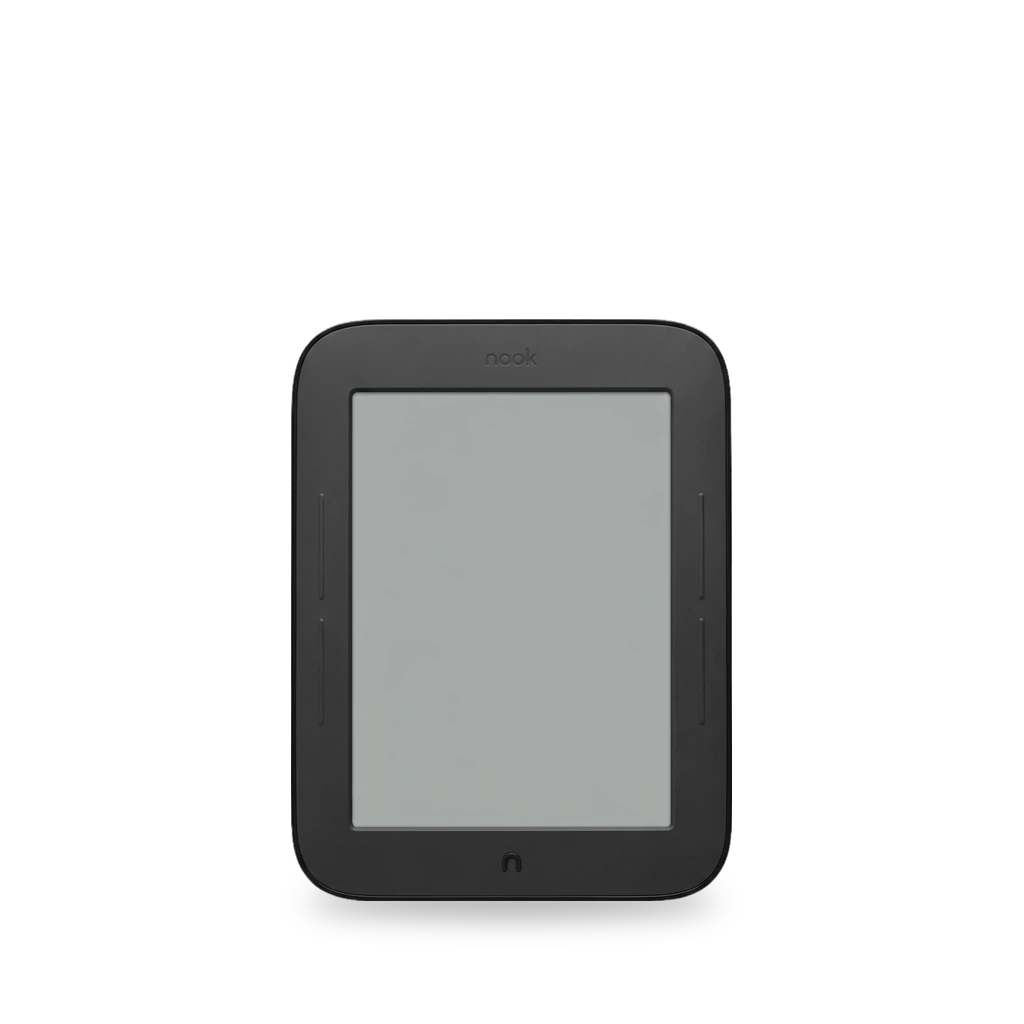
Photo: Tthaas, CC BY-SA 3.0 · AI-edited (studio background)

BARNES & NOBLE · E READER · 2011
Nook Simple Touch
Also called: BNRV300 · Nook Touch · NST
2011 Wi-Fi E Ink reader (BNRV300, Android 2.1) with IR touch, page-turn buttons, and a microSD slot. No speaker or headphone jack. Community work roots it from a bootable microSD (NookManager), speeds refresh with FastMode2, and swaps the battery or display. The GlowLight (BNRV350) is a separate page.[3][9][12][14][2]
Which one do I have?
Specs
Mods (8)
⚠ Mod at your own risk. We collect what others have published; we have not tested these mods. Read the safety notes
microSD card expansionWorks
Firmware 1.2.2 (TLS) updateWorks
- ⚠ Can brick A mistake can leave the device unable to start.
- ⚠ Data loss Can erase what is on the device. Back up first.
Update to 1.2.2 for TLS 1.2, which B&N required in 2018 for book downloads and updates. Check version under Settings → Device Info → About Your Nook. Also the firmware level used by the 2023 NookManager root walk-through.[13][9][7][12]
Good to know
- The Simple Touch needs firmware 1.2.2 for the TLS 1.2 security update.[13]
- Without the update the device loses book downloads and future updates.[13]
- B&N has discontinued services to older Nooks including the Simple Touch (BNRV300).[9]
Guides:No guide found yet.
Root with NookManager (microSD)Works
- ⚠ Can brick A mistake can leave the device unable to start.
- ⚠ Data loss Can erase what is on the device. Back up first.
- ⚠ Check the law May break a law or rule where you live.
Boot a NookManager image from microSD to back up partitions and root Android 2.1 so you can sideload apps as APK files. Prefer 1.2.2 firmware. Older TouchNooter images no longer work on 1.2.x.[12][16][1][14][2]
Good to know
- NookManager is a microSD utility for rooting and restoring the Nook Touch; it includes ways to create backups.[16][12]
- A 2023 walk-through updates to firmware 1.2.2 first, then roots with an updated NookManager image; old 1.1.0 firmware breaks Wi-Fi.[12]
- TouchNooter microSD rooting was for the original Nook Touch only and no longer works on newer 1.2.x firmware.[1]
- Rooting voids the warranty in some jurisdictions.[2]
Guides:Root Nook Simple Touch with updated NookManagerNookManager: Everything You Need to Root and Restore a Nook Touch or Nook GlowNook Touch Rooting Guide - Super Easy Method (Videos)
FastMode2 refresh and multi-touch kernelWorks
- ⚠ Can brick A mistake can leave the device unable to start.
- ⚠ Data loss Can erase what is on the device. Back up first.
ClockworkMod microSD image, a custom kernel zip, then NookManager: enables multi-touch, overclock, and FastMode2 / NoRefresh-style faster E Ink refresh on firmware 1.2.x.[14][2]
Good to know
- FastMode2 works on firmware 1.2 and above as the NoRefresh-style refresh fix.[14][2]
- A custom kernel overclocks the processor and enables multi-touch.[14][2]
- The 2013 MakeUseOf guide uses a ClockworkMod microSD image, a kernel zip from recovery, then a NookManager image; needs a 128 MB or larger microSD card.[14]
Guides:Hack Your Nook Simple Touch Into a Super E-Reader in Three Easy Steps
Battery replacementWorks
- ⚠ Lithium battery Uses or touches a lithium cell. A damaged cell can catch fire.
Open the back cover (T5 Torx under the anti-tamper sticker), then pull the 3.7 V Li-ion polymer cell by its adhesive tab. Try another charger first if the battery icon shows "?".[4][11][6]
Special tools: T5 Torx screwdriver
Good to know
- The 3.7 V lithium-ion polymer battery comes out after one 2 mm T5 screw; pull the adhesive tab.[4]
- Some chargers fit more tightly than others; to reset, unplug the white battery connector, wait 30 seconds, and reconnect.[11]
⚠ Watch out
- Do not use metal tools when prying up the battery. A swollen, discoloured, or smelly cell can be dangerous to remove.[4]
Guides:Nook BNRV300 Battery Replacement - iFixit Repair GuideHow to disassemble a Nook Simple Touch to remove or replace a batteryNook BNRV300 Back Cover Replacement - iFixit Repair Guide
E Ink display replacementWorks
Remove the back cover and motherboard (eleven 3 mm screws) to reach the thin glass E Ink panel. Support the panel flat while prying; glass can shatter.[5][6]
Good to know
- The display is a thin sheet of glass that can crack into small shards.[5]
- Eleven 3 mm screws hold the motherboard; support the panel on a hard flat surface when prying it off the metal backing.[5]
⚠ Watch out
- The display may be glued to the metal backing and need heat to lift.[5] unverified
Guides:Nook BNRV300 Display Replacement - iFixit Repair GuideNook BNRV300 Back Cover Replacement - iFixit Repair Guide
FastMode + USB Sound ROMExperimental
- ⚠ Can brick A mistake can leave the device unable to start.
- ⚠ Data loss Can erase what is on the device. Back up first.
Community ROM that adds USB-port audio plus FastMode. Works on Simple Touch and Simple Touch with GlowLight.[15][2][10]
Good to know
- USB Sound adds audio support through the USB port; the ROM is compatible with the Simple Touch and Simple Touch with GlowLight.[15]
- Stock hardware has no speaker or headphone jack.[2][10]
Guides:No guide found yet.
1337 custom ROMExperimental
Sources (16)
- blog Nook Touch Rooting Guide - Super Easy Method (Videos) · 2026-11-16
- wiki Nook Simple Touch - Wikipedia · 2026-11-16
- docs Nook Simple Touch Repair Help · 2026-11-16
- docs Nook BNRV300 Battery Replacement - iFixit Repair Guide · 2026-11-16
- docs Nook BNRV300 Display Replacement - iFixit Repair Guide · 2026-11-16
- docs Nook BNRV300 Back Cover Replacement - iFixit Repair Guide · 2026-11-16
- wiki Nook BNRV300 Troubleshooting - iFixit · 2026-11-16
- official NOOK Simple Touch - Using SD Cards – Barnes & Noble · 2026-11-16
- official Retired NOOK Devices – Barnes & Noble · 2026-11-16
- wiki Nook Simple Touch - nookDevs · 2026-11-16
- blog How to disassemble a Nook Simple Touch to remove or replace a battery · 2026-11-16
- blog Root Nook Simple Touch with updated NookManager · 2026-11-16
- blog Older Nooks and Nook Tablets Require Security Update to Keep Working · 2026-11-16
- news Hack Your Nook Simple Touch Into a Super E-Reader in Three Easy Steps · 2026-11-16
- blog Nook Simple Touch FastMode & USB Sound ROM (Video) · 2026-11-16
- blog NookManager: Everything You Need to Root and Restore a Nook Touch or Nook Glow · 2026-11-15