Home › Devices › Canon › Canon EOS 500D / 550D / 600D
 NEW!
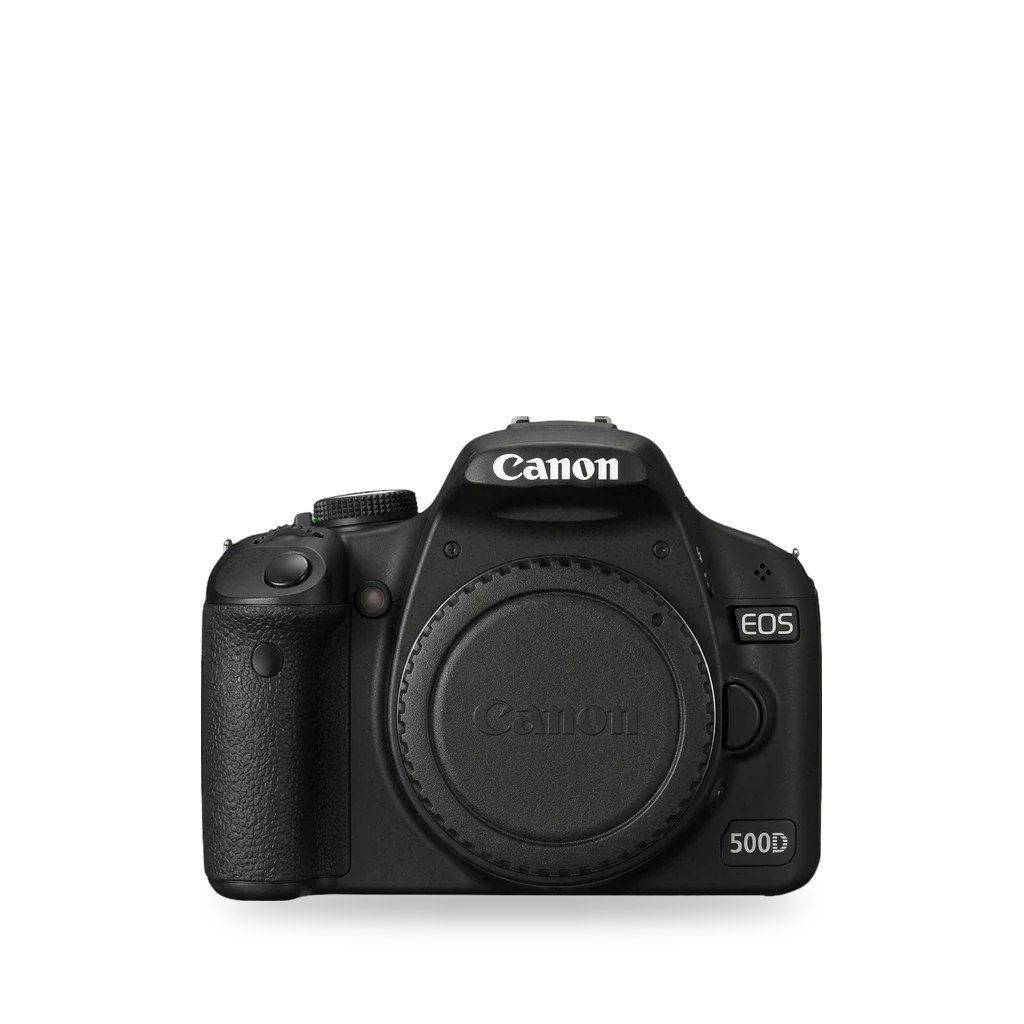
Photo: Mauritsvink, Public domain · AI-edited (studio background)

CANON · CAMERA · 2009-2011
Canon EOS 500D / 550D / 600D
Also called: Rebel T1i · Rebel T2i · Rebel T3i · Kiss X3 · Kiss X4 · Kiss X5 · Magic Lantern
Three Rebel/Kiss APS-C bodies that run Magic Lantern beside Canon's firmware. It boots from the SD card and adds tools such as bitrate control, zebras, focus peaking, and an intervalometer. Each body needs one exact Canon firmware version.[1][3][5]
Which one do I have?
| Model | Variant | Year | Firmware | How to tell |
|---|---|---|---|---|
| EOS 500D | Rebel T1i / Kiss X3 | 2009 | 1.1.1 | Rebel T1i in North America, Kiss X3 in Japan. April 2009. Magic Lantern needs Canon firmware 1.1.1.[10][13][3] |
| EOS 550D | Rebel T2i / Kiss X4 | 2010 | 1.0.9 | Rebel T2i in the Americas, Kiss X4 in Japan. February 2010. Has a 3.5 mm stereo mic jack. Magic Lantern needs Canon firmware 1.0.9.[11][14][3] |
| EOS 600D | Rebel T3i / Kiss X5 | 2011 | 1.0.2 | Rebel T3i in the Americas, Kiss X5 in Japan. March 2011. Articulating 3.0-inch screen. Magic Lantern needs Canon firmware 1.0.2.[12][15][3] |
Specs
Mods (1)
⚠ Mod at your own risk. We collect what others have published; we have not tested these mods. Read the safety notes
Magic LanternWorks
- ⚠ Can brick A mistake can leave the device unable to start.
- ⚠ Data loss Can erase what is on the device. Back up first.
Free GPL add-on that runs from the memory card next to Canon's firmware. It does not replace ROM. First install: low-level format a card of 32 GB or smaller, copy the files, then run Canon's firmware update in Manual mode.[1][3][4][5][2][6][7][8][9]
Parts
- SD or SDHC card, 32 GB or smaller Fits — Required for the first install. The camera low-level formats it.[3]
Good to know
- Magic Lantern runs from the card as an add-on over standard Canon firmware. It does not replace firmware in ROM.[4][2]
- The bootloader uses a bootdisk flag and loads autoexec.bin from the card.[3]
- The 550D port dates to 2010. Community ports also cover the 500D and 600D.[1]
- Features include audio controls, zebras, false color, live histogram, focus peaking, trap/rack/follow focus, bitrate override, HDR video, and an intervalometer.[5][1]
- Required Canon firmware is 1.1.1 on the 500D, 1.0.9 on the 550D, and 1.0.2 on the 600D. Platform builds are named 500D.111, 550D.109, and 600D.102.[3][7]
- First install: low-level format an SD or SDHC card of 32 GB or smaller in the camera, copy the files to the card root, and run Canon's firmware update with the mode dial on M. A green screen means the boot flag was set.[6][3]
- Hold SET at startup to bypass Magic Lantern for one session. Full uninstall runs Firmware Upgrade in-camera to clear the boot flag.[4]
- Old supported cameras continue to work after the 2025 project revival.[8]
⚠ Watch out
- Magic Lantern will not install on any firmware other than 1.1.1 (500D), 1.0.9 (550D), or 1.0.2 (600D).[3][6]
- The project warns that this software can damage or destroy the camera. Magic Lantern writes settings to NVRAM that Canon firmware does not always validate.[3][4]
- The first install low-level formats the card. Use an SD or SDHC card of 32 GB or smaller and a fully charged original battery.[3]
- After you open the card door, wait for the card LED to finish (or about 5 seconds) before removing the card. A bootable card without autoexec.bin will not boot until you pull the battery.[3]
- Canon does not cover repairs caused by third-party firmware. Unrelated hardware faults can still be covered during the warranty period.[9]
Guides:Magic Lantern INSTALL.txtMagic Lantern INSTALL.txt (master)
Buttons & modes
Sources (15)
- wiki Magic Lantern (firmware) - Wikipedia · 2026-11-16
- official magiclantern_simplified - reticulatedpines · 2026-11-15
- official Magic Lantern INSTALL.txt · 2026-11-15
- official Magic Lantern FAQ.txt · 2026-11-15
- official Magic Lantern FEATURES.txt · 2026-11-15
- docs Magic Lantern INSTALL.txt (master) · 2026-11-16
- docs magiclantern_simplified repository · 2026-11-16
- news Magic Lantern is Back With New Support for Four Canon Cameras · 2026-11-15
- blog Will Custom Firmware Void My Warranty? Canon, Nikon and Panasonic Respond · 2026-11-15
- wiki Canon EOS 500D - Wikipedia · 2026-11-16
- wiki Canon EOS 550D - Wikipedia · 2026-11-16
- wiki Canon EOS 600D - Wikipedia · 2026-11-16
- official EOS Rebel T1i - Canon Camera Museum · 2026-11-16
- official EOS Rebel T2i - Canon Camera Museum · 2026-11-16
- official EOS Rebel T3i - Canon Camera Museum · 2026-11-16